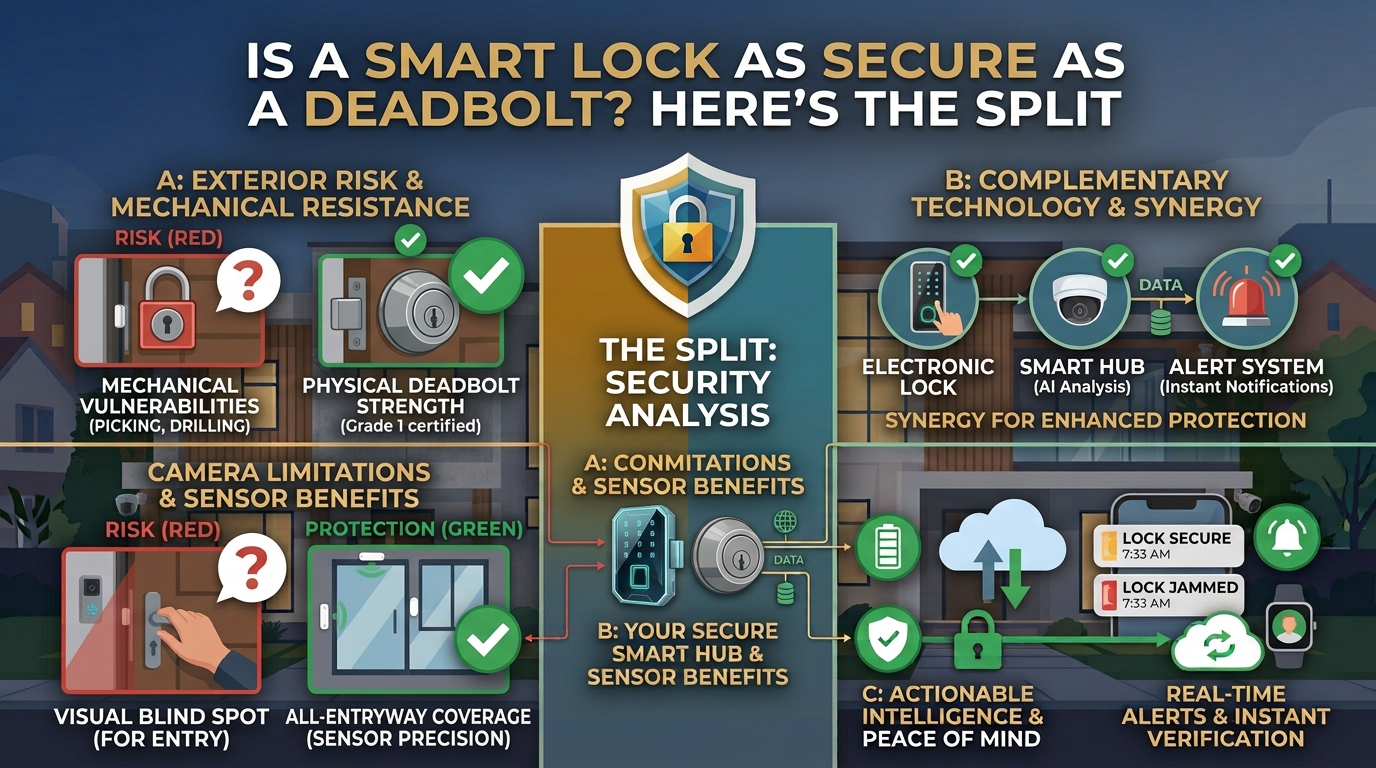
A smart lock is not a different category of hardware sitting somewhere in between a deadbolt and something weaker. Most smart locks are, mechanically, smart deadbolts: the same physical bolt you would find on a traditional lock, controlled by an app, keypad, or fingerprint instead of only a key. That distinction matters, because it means "smart lock vs deadbolt" is actually two separate questions being asked at once, and answering them together produces a vaguer, less useful verdict than answering them one at a time.
The first question is physical: how hard is this lock to force open by drilling, prying, or kicking. That depends on lock grade, strike plate reinforcement, and the condition of the door and frame, and it has nothing to do with whether the lock is smart. The second question is digital: how hard is this lock to bypass remotely or electronically, and that question only exists because the lock is smart in the first place.
What "smart" actually changes, and what it does not
Adding a smart control layer to a deadbolt changes how you operate the lock. It does not change how much force is required to physically defeat the bolt itself. A high-grade smart deadbolt installed in a solid door with a reinforced strike plate resists forced entry exactly as well as a high-grade traditional deadbolt in the same door, because the bolt and the frame are doing the same mechanical work either way.
This is the point most buyers miss when comparing the two categories head to head: "smart" describes the control method, not the hardware's physical toughness.
Physical security: lock grade and door condition, not the smart label
Lock strength is generally described using a grading system that rates resistance to forced entry, and it applies the same way whether or not the lock has a smart control layer attached to it. A cheap lock, smart or not, is a cheap lock. A well-graded deadbolt paired with a properly reinforced strike plate and a solid door frame is meaningfully harder to force regardless of how it is unlocked day to day.
This is also where installation quality matters more than most buyers expect: a good lock in a poorly reinforced frame, or installed with short screws that do not reach the framing behind the door jamb, gives up much of its rated strength. If you are unsure about grade or installation quality for your specific door, that is a reasonable question to bring to a locksmith rather than to guess at from a product listing.
The new exposure smart locks introduce
Because a smart lock adds a digital control layer, it also introduces a new category of vulnerability a traditional deadbolt simply does not have. Devices can ship with default PINs or passwords that are never changed after installation. Bluetooth or Wi-Fi pairing protocols vary in how well they resist interception, and firmware, like any connected device's software, can carry vulnerabilities that get patched over time. None of this makes a smart lock unsafe outright, but it does mean the new convenience comes with a new maintenance responsibility: change default codes immediately, keep firmware updated, and treat the lock's app account with the same care you would treat any other account tied to your home.
This is the same category of question this site answers for security cameras: the honest answer is rarely "yes, unavoidably vulnerable" or "no, completely safe." It is that real risk exists, it is manageable with basic account hygiene, and ignoring that hygiene is where the actual danger lives.
What convenience actually buys you
The reason people choose a smart lock at all is rarely about security in the strict sense. It is remote locking when you are unsure if you locked up, temporary codes for a guest or a service visit without handing out a physical key, and an alert when the door is unlocked at an unexpected time. These are genuine, practical benefits. They are just a different kind of value than physical forced-entry resistance, and worth being honest with yourself about which one you are actually buying when you choose a smart lock.
Maintenance and reliability: batteries vs nothing at all
A traditional deadbolt needs nothing but occasional lubrication. It has no battery to die and no software to update. A smart lock depends on a battery, and most models send a low-battery warning well ahead of time, but a lock that runs out of power unexpectedly is a real inconvenience a traditional deadbolt never presents. This is worth weighing honestly against the convenience features above, particularly for a front door you rely on daily.
How to choose without trading one risk for another
Decide on lock grade and door/frame condition first, independent of whether you want a smart lock at all, since that decision governs the physical security half of the equation regardless of what you choose next. Then decide separately whether the convenience of a smart control layer is worth the added responsibility of managing an account, firmware, and a battery. Buying a high grade, well-installed lock without the smart layer, or buying a lower grade lock because it happens to be smart, are both worse outcomes than treating these as two separate decisions made in the right order.
If connectivity itself, rather than lock grade, is the open question for you, this site's guide to smart locks without Wi-Fi covers that side of the decision in more depth.
FAQ
Is a smart lock less secure than a regular deadbolt? Not inherently. Physical resistance to forced entry depends on lock grade and door condition, not on whether the lock is smart. A smart lock does add a separate digital exposure a traditional deadbolt does not have, which is manageable with basic account hygiene.
Can a smart lock be hacked? It is possible in principle, mainly through default credentials, weak pairing protocols, or unpatched firmware. Changing default codes immediately and keeping firmware updated closes most of this gap.
Do smart locks need batteries? Yes, nearly all of them. Most send a low-battery warning well in advance, but a dead battery is a real inconvenience a traditional deadbolt does not have.
Should I upgrade my deadbolt or add a smart lock first? Lock grade and door/frame condition first, since that is the foundation regardless of what control method you choose. Add the smart layer afterward if the convenience is worth the added maintenance to you.
Is a smart lock worth it for a front door? For many households, yes, mainly for the convenience of remote locking and temporary access codes. Just be honest that this is a convenience upgrade layered on top of the physical security question, not a replacement for it.

I’m John Smith, the founder of Homegadgetguru.com. I use my IT background to extensively test home automation setups in my own house, giving you the hands-on, practical advice you need to build a smarter, more connected home.