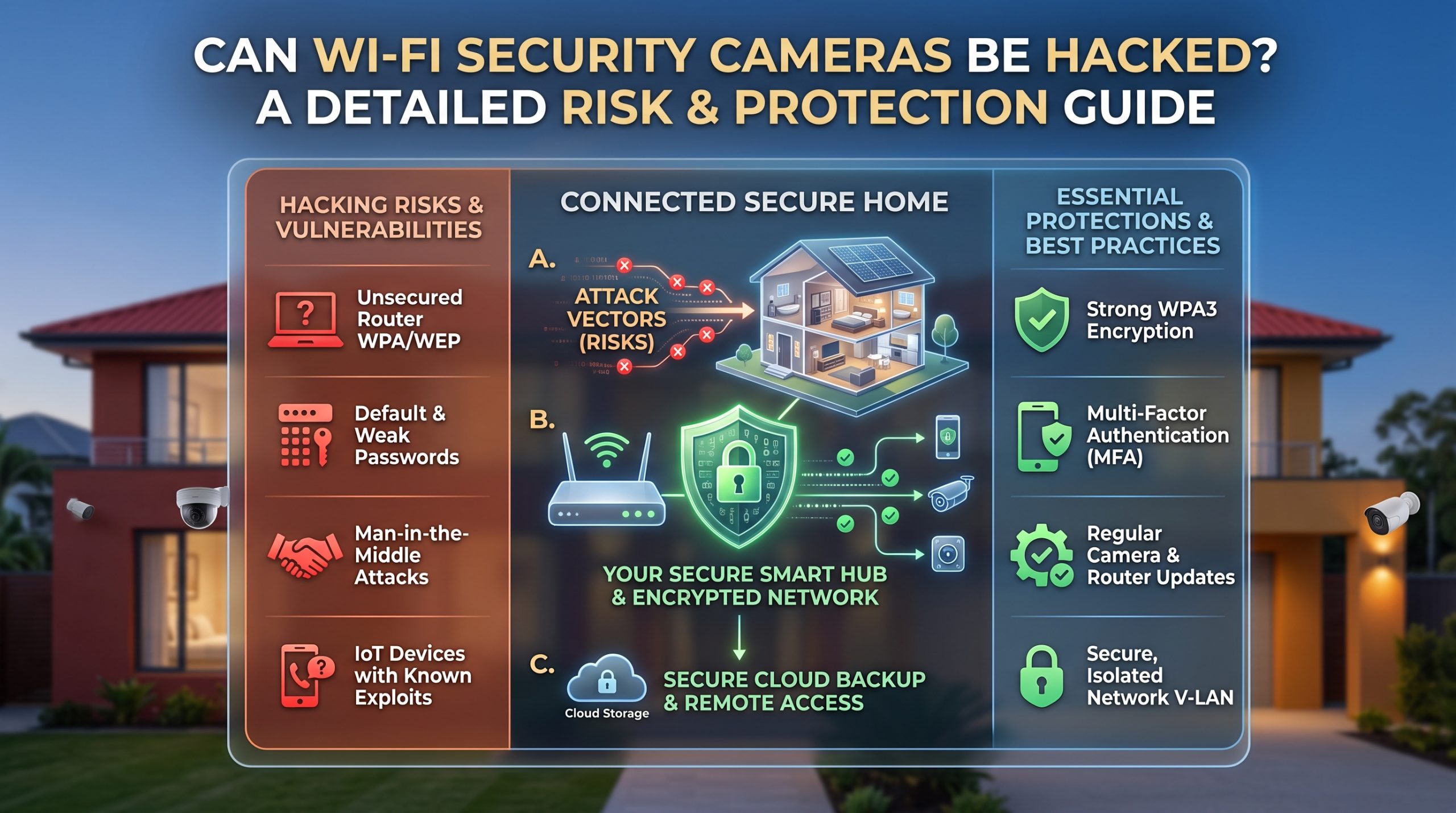
Yes, Wi-Fi security cameras can be hacked, and it has happened at real scale before. In March 2021, a hacking group gained access to roughly 150,000 cameras on the Verkada network, mostly business and institutional systems such as schools, hospitals, and offices, not typical home setups. But most home camera compromises are far less dramatic than that headline case: they trace back to reused or default passwords and outdated firmware rather than a sophisticated exploit. The practical fix is straightforward. Use a unique password for the camera account, turn on two-factor authentication if it is offered, keep the camera's firmware updated, and limit which third-party apps and voice assistants can access it. Those four steps close the door that most real breaches actually walked through.
The rest of this guide names the documented case honestly, explains how home cameras actually get compromised, and ranks the fixes by how much each one really matters, instead of handing you an unranked checklist.
Yes, it happens: the documented case
The most cited example of large-scale camera hacking is the Verkada breach, publicly reported in March 2021. A hacking collective gained access to internal tools used by Verkada, a company providing camera systems mostly to businesses, schools, hospitals, and jails, and used that access to view live feeds from roughly 150,000 cameras. It is worth being precise about what this was: it was not a home user with a weak router password being guessed. It was closer to a supply-chain-style compromise, attackers found their way into an internal support system that had broad access across customer accounts, rather than brute-forcing individual home devices one at a time.
That distinction matters, because it means the case that everyone cites as proof "cameras get hacked" is not actually a preview of how a typical home camera gets compromised. It is real, it is documented, and it is worth knowing about, but the fixes available to a homeowner would not necessarily have stopped an incident like that one. They do address the risk that actually applies to a home camera, which is a different, more mundane problem.
How most home cameras actually get compromised
Away from headline cases, the pattern security researchers describe for home camera compromises is consistently mundane: reused passwords, where an unrelated account gets breached elsewhere and the same email and password combination happens to also unlock the camera account, default credentials left unchanged from the box, and outdated firmware that leaves a known, already-patched vulnerability open on a device nobody bothered to update.
Notice what is missing from that list: nothing here requires an attacker to be technically sophisticated. Most home camera compromises are closer to a locked door with the key left in it than a safecracking. That is actually good news, because it means the fix is mostly about habits, not hardware.
The four fixes ranked by how much they actually matter
1. A unique password, not reused anywhere else. This is the single highest-leverage fix, because credential stuffing, trying passwords leaked from other breaches against your camera account, is how most real compromises happen. A password you have never used for anything else closes this door almost entirely on its own.
2. Two-factor authentication, if your camera or app offers it. This adds a second check beyond the password, so even a leaked or guessed password alone is not enough to get in. Turn it on if it exists; it is one of the largest security gains available for the smallest amount of effort.
3. Keep firmware updated. Manufacturers patch known vulnerabilities through firmware updates. A camera running old firmware may have a publicly known weakness that a current version already closed. This matters, but it ranks below the first two because most real-world compromises exploit weak credentials long before they exploit a firmware bug.
4. Limit third-party integrations. Every voice assistant, smart-home app, or automation service (IFTTT and similar) you connect to your camera is another account that, if compromised, could provide a backdoor into the camera itself. This is worth doing, but it matters less than the first two for most households, since it depends on you having connected several third-party services in the first place.
What your router has to do with your camera's security
Your camera's account security and your home network's security are related but separate layers. A camera account can be perfectly secured with a strong, unique password and still sit on a Wi-Fi network with a weak router password or outdated router firmware, which is its own point of exposure. Router hardening (a strong router password, current firmware, a modern Wi-Fi encryption standard) is a separate checklist from anything covered here, and it protects every device on your network, not just the camera.
Signs your camera may be compromised
A few signals are worth checking periodically: the camera moving or repositioning on its own if it has pan/tilt features, unfamiliar devices listed in the camera app's connected-devices or account-activity log, unexpected data usage from the camera on your router's traffic monitor, or the camera's status light behaving differently than usual (on when you expect it off, or vice versa, depending on the model). None of these alone is proof of a breach, but any of them is a reason to change the password and check the account's login history.
Account security is one layer of a larger setup. How many cameras you actually need in the first place, and whether alerts get routed to you alone or to a monitored service, are separate decisions covered in our guides to how many security cameras you actually need and self-monitoring vs professional monitoring.
FAQ
Are Wi-Fi security cameras actually a real hacking target, or is this overstated? It is a real, documented risk, most visibly in the 2021 Verkada breach affecting roughly 150,000 cameras, mostly business and institutional systems. For home users specifically, the realistic risk is smaller in scale and almost always tied to weak or reused passwords rather than a sophisticated attack.
What is the single most important thing I can do to protect my camera? Use a password for your camera account that you have never used anywhere else, and turn on two-factor authentication if your camera or app supports it. Together these close the door that most real compromises actually go through.
Does updating firmware really matter if my password is already strong? Yes, though it matters somewhat less than password hygiene. Firmware updates patch known vulnerabilities, so an outdated camera can have an open weakness even with a good password, particularly if that vulnerability allows access without needing the account password at all.
Can someone hack my camera through my smart speaker or a connected app? It is possible if that third-party account itself gets compromised, since a connected integration is another door into the camera. Limiting which apps and assistants have camera access reduces this risk, though for most households it matters less than password and firmware hygiene.
Is cloud storage or local storage more exposed to hacking? They carry different risks rather than one being simply safer. Cloud storage is exposed to account breaches and, rarely, provider-side incidents; local storage is not reachable remotely at all but can be physically taken along with the device. Our guide to local vs cloud camera storage covers this tradeoff in full.

I’m John Smith, the founder of Homegadgetguru.com. I use my IT background to extensively test home automation setups in my own house, giving you the hands-on, practical advice you need to build a smarter, more connected home.