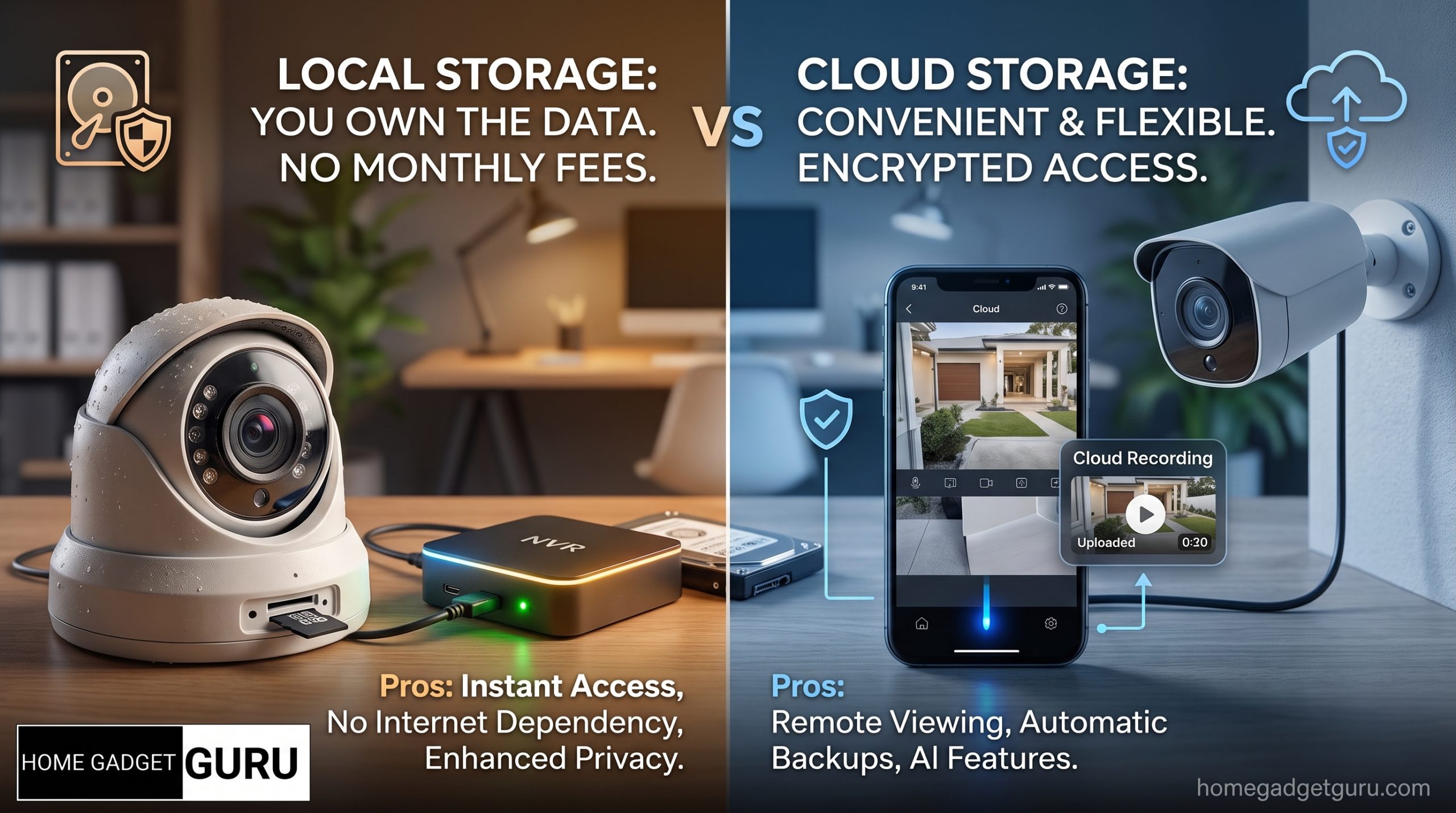
Local storage (a microSD card or a base station in your home) keeps your footage on-site, off the internet, and usually free of a monthly fee. Its weakness is physical: a thief, a fire, or a flood can take the footage along with the device. Cloud storage survives that physical loss and adds easy remote access, but it puts your video on a company's servers and usually adds a subscription. If privacy and long-term cost matter most to you, lean local. If off-site backup and convenience matter most, lean cloud. Many homes are best served running both, which is the recommendation this guide builds toward.
That one-line trade-off is the whole decision, but the details are where people get surprised. Below is how each option actually works, what it really costs over the years, who can reach your footage, and the risk that neither side likes to talk about.
How local storage works
Local storage means the camera saves video to hardware you own and keep in your home. There are three common forms.
- microSD card. The camera writes directly to a small card inside it. This is the simplest and cheapest setup, common on standalone WiFi cameras. When the card fills up, the camera overwrites the oldest clips.
- Base station or hub. Several cameras send their footage to one small box in your house, which holds a larger drive. This keeps the recordings out of the cameras themselves, which matters for a reason we cover below.
- NVR (network video recorder). A dedicated recorder, often paired with wired cameras, stores days or weeks of continuous footage on a large hard drive. This is the closest thing to a traditional home surveillance system.
The shared trait: after the one-time hardware cost, there is typically no recurring bill just to keep your footage. The recording lives with you, and it never travels across the internet unless you choose to view it remotely. That is the core of the privacy argument for local storage.
The catch is capacity and durability. A small card holds only so many days before it loops. Hard drives wear out and eventually need replacing. And because the footage sits in your home, it is only as safe as the hardware holding it.
How cloud storage works, and how a "free" camera becomes a subscription
Cloud storage uploads your clips to the camera company's servers over your internet connection. You then view them through an app from anywhere.
The convenience is real. You can pull up footage on your phone from work or a hotel, you get instant motion alerts with a clip attached, and if someone steals the camera, the recordings are already off-site and safe.
Here is the part that surprises buyers. Many cameras are sold as if the storage is included, but the useful features often sit behind a plan. Without a subscription, a camera may only show you a live view and a brief motion notification, while saved video history, longer retention, person or package detection, and rich alerts require paying every month. So a camera that looked like a one-time purchase quietly becomes an ongoing bill, and that bill continues for as long as you want your footage saved. This is the single most common regret we see people describe after buying, and it is worth checking the plan details before you buy, not after.
If you are specifically trying to avoid recurring fees, that is its own project. Our guide to building a smart home security system with no monthly fee walks through it end to end.
Privacy: who can actually reach your footage
This is where the two options differ most, and where the honest history matters.
With local storage, the answer to "who can reach my footage" is short: whoever can physically reach the device, plus anyone you deliberately give remote access to. There is no company account in the middle, so there is no company employee, contractor, or server breach that can expose video of the inside of your home. For many people, that is the entire reason they choose local.
With cloud storage, you are trusting the company to guard your video and to limit who inside the company can see it. Most companies do this reasonably well. But it is not a hypothetical risk, and there is a documented, verifiable example. In May 2023 the U.S. Federal Trade Commission brought a case against Ring, stating that the company had let employees and contractors access customers' private videos, including footage from inside bedrooms, and had failed to stop hackers from taking over customer accounts and cameras. The settlement led the FTC to send more than 5.6 million dollars in refunds to affected customers in 2024. That is a public regulatory action, not a rumor, and it is the clearest reason to treat cloud storage as a decision about trust, not just convenience.
The takeaway is not "cloud is unsafe." It is that cloud storage asks you to place video of your home in someone else's hands, and history shows that trust is occasionally broken. Weigh that honestly against the convenience you are getting.
The risk both sides underplay
This is the section most comparisons skip, because most comparisons are written by a company that sells one of these options.
Local storage can be physically lost. If a burglar grabs the camera, and that camera stores its own footage on a microSD card, the thief just walked off with the only evidence. Fire and flood do the same thing. This is exactly why a base station or NVR, which keeps the recordings separate from the cameras, is safer than card-in-the-camera storage: the intruder would have to find and take the recorder too. But even then, everything still lives under one roof, and one roof is a single point of failure.
Cloud storage can be remotely breached. The recordings survive a break-in at your house, but they are exposed to a break-in at the company, a leaked password, or an insider with too much access, as the Ring case showed. You are trading a physical risk you can see for a digital risk you cannot.
Neither option is risk-free. The right question is not "which is safe" but "which risk would I rather carry," and for a lot of people the best answer is to not fully carry either one.
The cost picture over time, honestly
We will not quote specific prices, because camera and plan pricing changes constantly and varies by region. But the shape of the cost is predictable and worth understanding.
Local storage is front-loaded. You pay once for the card, base station, or recorder, and after that the ongoing cost is close to nothing, apart from replacing a worn drive every few years. Over a long horizon, that flat line is why local tends to win on total cost, especially as you add more cameras.
Cloud storage is the opposite. The upfront cost can be low, sometimes it looks like the storage is free, but the monthly fee never stops, and it often rises as you add cameras or want longer retention. A subscription that feels small each month adds up over the years you actually keep the system, and you own nothing at the end of it.
The honest summary: if you plan to keep your cameras for a long time, and especially if you have several, local storage usually costs less over the life of the system. Cloud buys you convenience and off-site safety, and you pay for that continuously.
The hybrid most people should consider
For most homes, the smart middle is not choosing a side. It is running both, or running local with an off-site backup.
The common hybrid setup: keep continuous or long-retention recording on a local device (a base station or NVR) so your everyday footage stays private and free of a subscription, and send only motion-triggered clips of important events to the cloud so those specific moments survive even if the hardware is stolen or destroyed. You get privacy and low ongoing cost for the bulk of your footage, plus an off-site copy of the events that actually matter.
Even without a cloud plan, you can approximate this by periodically copying important local footage to a separate drive kept somewhere else, or to your own cloud storage. The principle is the same: never let all copies of your footage live in one place that a single event can wipe out.
Here is the decision in one view.
| Option | Privacy | Ongoing cost | Best for |
|---|---|---|---|
| Local (microSD in camera) | High | None after purchase | Renters, single cameras, tight budgets who accept theft risk |
| Local (base station or NVR) | High | Minimal (drive replacement) | Homeowners wanting private, long retention across several cameras |
| Cloud | Lower (you trust a company) | Ongoing subscription | People who want remote access and off-site safety above all |
| Hybrid (local + cloud clips) | High for most footage | Small, for event clips only | Most homeowners who want privacy, low cost, and a safety net |
How this fits with your other camera choices
Storage is one of three decisions that tend to travel together. The type of camera you buy often steers your storage options, which is why it helps to read our comparison of wired vs wireless security cameras alongside this one. And because both cloud accounts and camera placement raise privacy questions, especially around what your cameras can legally record, it is worth reviewing the rules on security camera placement and privacy laws before you finalize your setup.
FAQ
Is local or cloud storage better for a home security camera? Neither is universally better. Local storage is more private and cheaper over time, but the footage can be lost if the device is stolen or destroyed. Cloud storage is off-site and convenient but adds a subscription and places your video on a company's servers. Many homes are best served by a hybrid of the two.
Do security cameras require a monthly subscription? No, not always. Cameras that record to a microSD card, base station, or NVR can work with no monthly fee. But many cloud-based cameras keep saved video history and advanced features behind a subscription, so check the plan details before buying if avoiding recurring costs matters to you.
Can someone hack cloud camera footage? It is possible. Cloud footage is exposed to account breaches, weak passwords, and insider access at the company. A documented example is the 2023 U.S. Federal Trade Commission case against Ring, which stated that employees and contractors had accessed customer videos and that hackers had taken over accounts. Strong, unique passwords and two-factor authentication reduce, but do not eliminate, this risk.
What happens to local footage if the camera is stolen? If the camera stores video on a microSD card inside itself, a thief takes the footage with the camera. To avoid this, use a base station or NVR that keeps recordings separate from the cameras, or send important clips to an off-site backup so a stolen device does not erase your only copy.
Is a hybrid storage setup worth it? For most homeowners, yes. Keeping everyday footage local protects your privacy and avoids ongoing fees, while sending motion-triggered clips of important events off-site means a burglary or fire cannot destroy every copy. It captures most of the benefit of both approaches while limiting the biggest weakness of each.

I’m John Smith, the founder of Homegadgetguru.com. I use my IT background to extensively test home automation setups in my own house, giving you the hands-on, practical advice you need to build a smarter, more connected home.