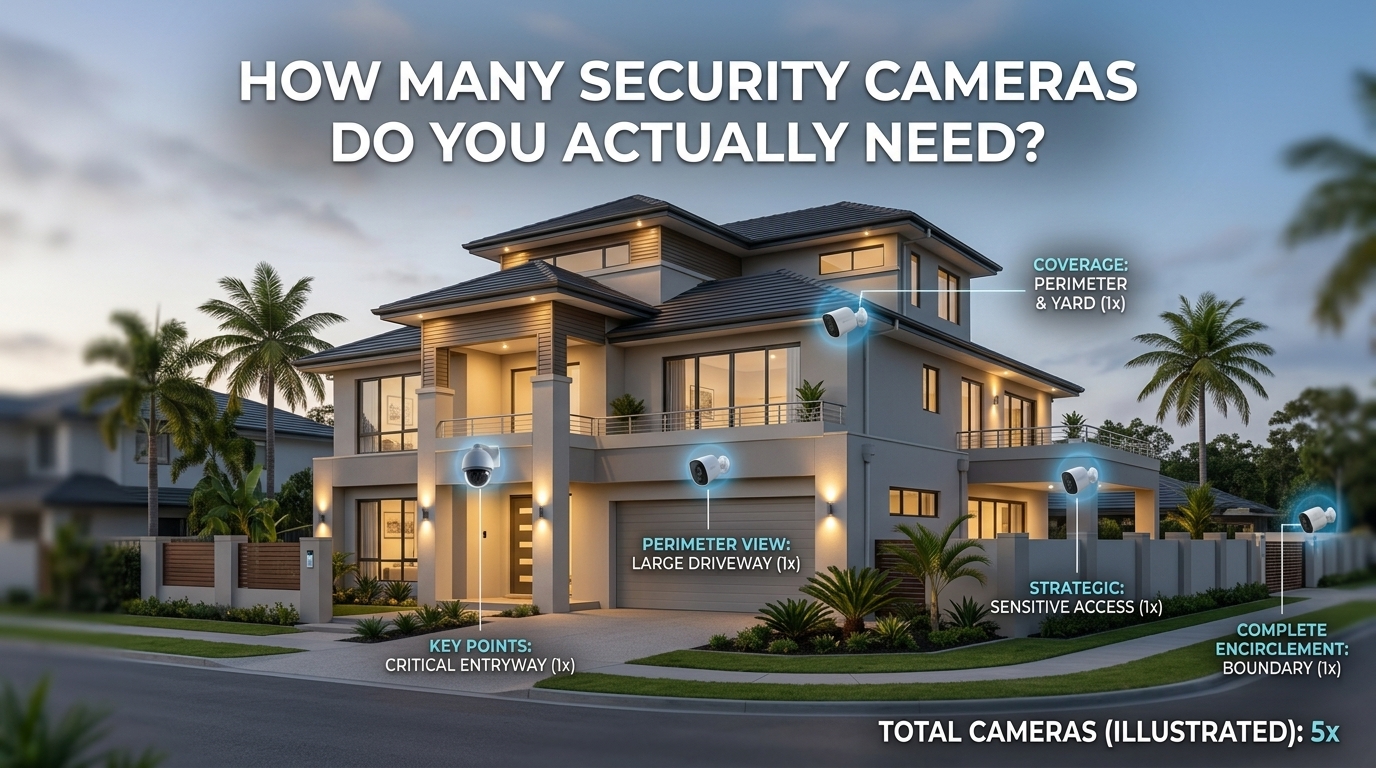
Most homes need somewhere between two and six cameras, but that range is not the real answer. The real answer is a method: count your actual entry points, not your walls. For most houses that is the front door, a back or side door, and the garage if it opens to the outside, which is usually two to four cameras before you add anything else. Add one more only where a genuine blind spot exists, a side gate, a detached structure, a driveway a car could pull into unseen. A house with three doors and no blind spots does not need six cameras just because a general guide says so.
That is the whole method in one paragraph. The rest of this guide walks you through applying it to your own home, gives realistic ranges by home size, and covers the two mistakes that waste money or leave you exposed: buying too many cameras nobody watches, and relying on one camera to cover "everything."
The industry rule of thumb, and why it is only a starting point
Search for this question and you will find a fairly consistent answer: most homeowners end up with somewhere between two and six cameras, with two to four pointed outdoors and one or two used indoors. Some guides go further and suggest a rough density figure, roughly one camera per 500 square feet of coverage area.
That number is a fine starting point, but it is not a plan. A rule of thumb does not know how many doors your house has, whether your side yard is fenced, or whether your garage opens straight onto the street. Two houses of the same square footage can have completely different real camera needs depending on layout. Treat the range as a sanity check on your final number, not the number itself.
Walk your home: the three-pass method
Instead of starting from a shopping list, walk your property in three passes. This takes fifteen minutes and produces a number that actually fits your home.
Pass one: entry points. Walk the outside of your house and note every door someone could use to get in: the front door, back door, any side door, and the garage door if it leads outside. This is your non-negotiable base. Most homes land at two to four points here, and each one deserves its own camera pointed at it, not a shared wide shot from across the yard.
Pass two: blind spots. Now look for the gaps between those entry points. A side gate that is not visible from either the front or back camera. A detached shed or a fenced area at the back of the lot. A driveway or carport a vehicle could pull into without crossing an entry point's view. Add a camera only where a real gap exists, not for every corner of the yard. This is where over-buying starts if you skip the discipline of pass one first.
Pass three: indoor priorities, if any. Most homes do not need indoor cameras for security in the traditional sense, since the entry points already cover intrusion. Indoor cameras tend to earn their place for a specific reason: checking on pets, watching a main living area while away, or a nursery. Add these based on that specific reason, not as a default.
Small home, medium home, large home: realistic ranges
Once you have walked your own property, these ranges are useful for a final sanity check, not a target to hit.
- Small apartment or condo: 1 to 3 cameras. Often just the entry door plus a video doorbell, and sometimes one main living space camera.
- Small house (one or two bedrooms): 3 to 4 cameras. Front door, back door, and one camera for a driveway or side blind spot.
- Medium house: 4 to 6 cameras. Front and back doors, garage or driveway, and one or two additional points depending on layout, such as a side gate or a detached structure.
- Large house or a property with a lot of exterior: 6 or more cameras, scaled to however many genuine entry points and blind spots the three-pass walk actually turns up.
These bands line up with what most guides find, but notice they are still describing entry points and blind spots, the same two categories from the method above, just at different scales.
Where extra cameras are wasted money
It is easy to keep adding cameras because more coverage feels safer. In practice, a camera that duplicates another camera's view, or watches a spot with no real access (a fenced interior yard nobody can enter without already being inside your house, for example) adds cost and alert volume without adding real security. Every extra camera is also one more thing to keep charged, keep updated, and keep watching. If a spot did not come up in either of the first two passes, it usually does not need a dedicated camera.
Where one camera covering "everything" leaves you exposed
The opposite mistake is trying to cover a whole side of the house with a single wide-angle camera mounted far away. It technically "sees" everything, but a wide shot from a distance struggles to identify a face clearly, and one camera means one point of failure: if that single camera is blocked, angled wrong, or knocked out, that entire side of the house has no coverage at all. A camera per entry point, even a modest one, generally beats one camera trying to do the job of three.
A simple worksheet to count your own number
Use this checklist as you walk your property:
| Pass | What to look for | Typical result |
|---|---|---|
| Entry points | Every door leading outside, including the garage | 2 to 4 cameras |
| Blind spots | Gaps between entry points a person could actually use: gates, sheds, unseen driveway sections | 0 to 2 extra cameras |
| Indoor priorities | A specific reason: pets, a main living area, a nursery | 0 to 2 cameras, only if there is a specific reason |
Add the three columns together and that is your number. It will usually fall inside the two-to-six range the general guides quote, but you will know exactly why each camera is there, which also matters when it comes time to reduce false alerts later: every camera you add without a clear reason is one more source of notifications you eventually learn to ignore.
More cameras is not automatically more security. A setup where every camera has a clear job, and where someone actually checks the feed, beats a larger system nobody watches closely. Once your entry points are covered, decide on wired or wireless for each spot, which changes the installation and power questions, covered in our wired vs wireless security cameras guide, and think through how you want footage stored before you buy anything, covered in local vs cloud camera storage. If you are building the whole system from nothing, start with our guide to a smart home security system with no monthly fee, which walks through the full build order these camera counts slot into.
FAQ
How many security cameras does the average home have? Most homes with a camera system run somewhere between two and six cameras. The number depends far more on how many entry points and blind spots the specific property has than on home size alone.
Do I need a camera for every window? No. Cameras are for entry points and blind spots, not every window. Windows on upper floors or ones that are not realistically accessible rarely need dedicated coverage; door/window contact sensors are usually the better and cheaper tool for those.
Is it better to have fewer cameras that are watched closely, or many that are not? Fewer, well-placed cameras that you actually check beat a larger system whose alerts you have started ignoring. A camera is only useful security if someone is paying attention to what it shows.
Do apartments need as many cameras as houses? No. Apartments typically have one real entry point and much less exterior to cover, so one to three cameras, often just the front door and a shared hallway view if allowed, is usually enough.
Should I add a camera just because a spot feels vulnerable? Only if that spot is a genuine blind spot from your three-pass walk, meaning something could actually reach it without crossing a covered entry point first. A feeling of vulnerability with no real access point is usually better solved with better lighting than with another camera.

I’m John Smith, the founder of Homegadgetguru.com. I use my IT background to extensively test home automation setups in my own house, giving you the hands-on, practical advice you need to build a smarter, more connected home.