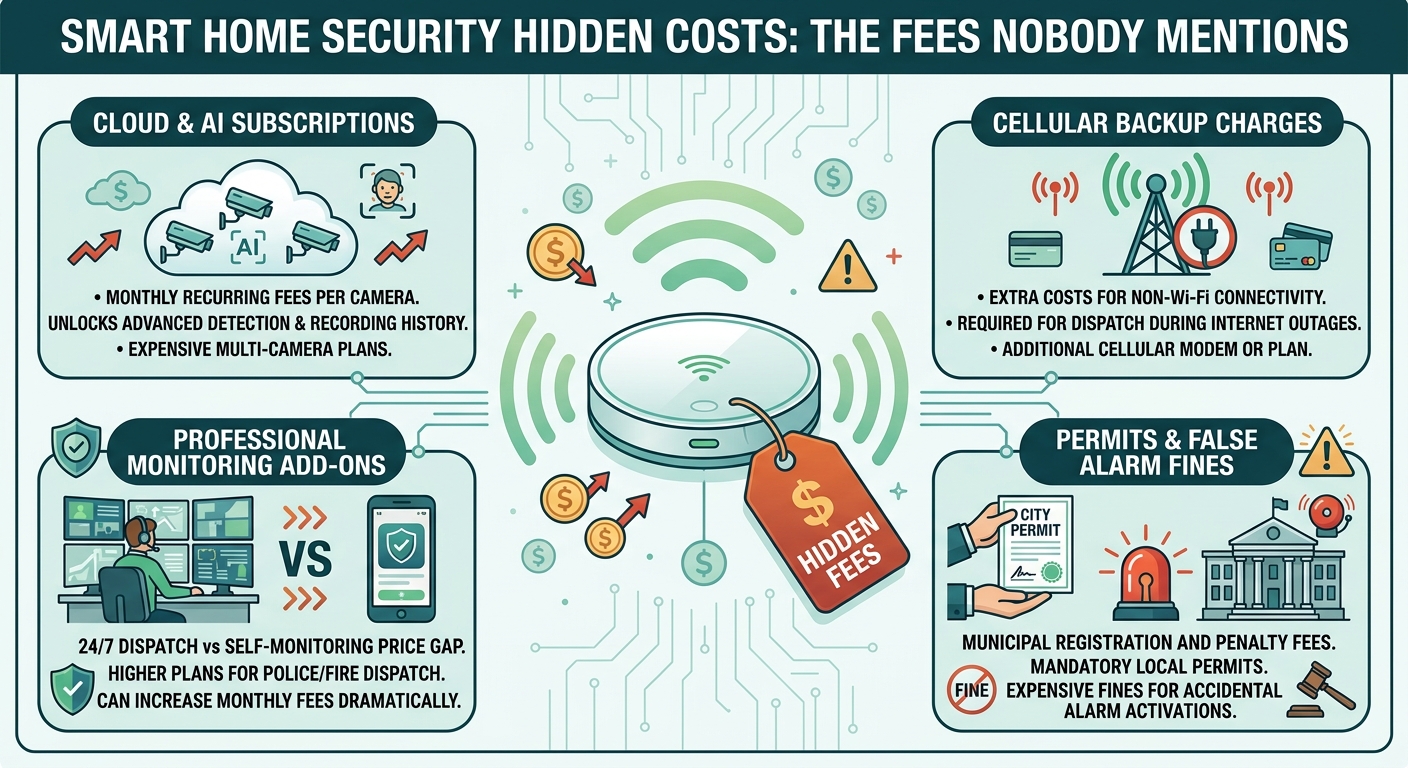

Smart home security hidden costs usually show up after the sale, not before it: a cloud storage subscription needed to actually watch saved video, an installation or activation charge on top of the device price, a smart home integration add-on, and an early-termination fee if you cancel a monitoring contract. The box price is rarely the real price. Before you buy anything, the honest question is not "what does the camera cost," it is "what does keeping it useful cost every month, and what happens if I cancel."
What smart home security hidden costs actually include
None of these costs are secret in the legal sense; they are usually sitting in the fine print or a follow-up email, not the headline ad. The categories that repeat across brands and providers are:
- Professional monitoring, billed monthly or annually, for a human or dispatch center to respond to alarms.
- Cloud video storage, a separate subscription from the device itself, because most cameras ship with little or no free recording history.
- Installation and activation, a one-time charge that some sellers waive only if you commit to a long monitoring contract.
- Smart home integration add-ons, when you connect locks, sensors or lighting to the same system.
- Equipment financing, where a "free" starter kit is really a loan spread across the monitoring bill.
- Early-termination penalties, for canceling before a multi-year contract ends.
A system marketed as having "no monthly fee" can still carry a real ongoing cost once you add video history back in, because the base hardware and the ability to actually use its footage are frequently sold as two separate products. Treat any headline price as the starting tier, not the total, and assume each additional feature you turn on has its own line item somewhere.
The subscription trap in cloud video
This is where a lot of homeowners get surprised, because the camera and the ability to review what it recorded are not always the same purchase. On the manufacturer side, Ring's own subscription plan page confirms that video recording and playback, smart alerts for people or packages, and features like remote arming are gated behind a paid Ring Protect plan rather than included with the camera alone (Ring, accessed 2026-09-18). That is one brand's own documentation, not a claim about the whole market, but the same pattern, hardware first and functionality second, shows up across the category. Before buying any camera, check the manufacturer's own plan page for what is genuinely free versus what requires a subscription, the same way you would check a phone plan before signing rather than trust the display sticker.
Storage subscriptions also raise a second cost that is not measured in money: how long your footage sits on someone else's server and who can access it. If you are weighing that trade-off, Smart Home Privacy Policy: What Data They Collect walks through what to look for before you agree to a cloud plan, and it is worth reading before, not after, you subscribe.
What to ask before you sign anything
The Federal Trade Commission's consumer guidance on shopping for a home security system lays out the questions to ask before signing, including how much monitoring costs and how often you are billed, how long the contract runs, whether there is a penalty for canceling early, and what happens if you move before the term ends (Federal Trade Commission, accessed 2026-09-18). The FTC also notes that under the Cooling-Off Rule, a contract signed in your home can usually be canceled within three business days, with no reason required. That single right has saved buyers from a bad multi-year commitment more than once, so ask for it in writing before you sign, not after.
A written agreement worth signing should spell out the installation price, the recurring fee and billing schedule, the contract length, the warranty, and the exact cancellation steps. If a seller cannot produce that in writing before you commit, that alone is a reason to walk away and compare a second quote instead of signing on the spot.
Add-ons that multiply the base cost
The starter kit is rarely where the spending stops. Once a smart lock, a water sensor, or an outdoor siren joins the system, each one can add its own subscription tier, its own firmware and support cycle, and sometimes its own separate app. Ask two questions before adding any device to an existing system: does it require its own account or subscription, and does it work with the monitoring plan you already have, or does it need an upgraded tier to actually trigger an alert. A sensor that cannot notify your monitoring service is a smoke detector with extra steps, not a security upgrade. Buying one integration at a time, and confirming each one actually talks to the system you already pay for, avoids paying twice for overlapping coverage.
Where DIY genuinely saves money, and where it does not
Skipping professional monitoring and installation is a real way to cut recurring costs, but it shifts the ongoing work onto you: you become the one who checks the app, keeps the account secured, and decides whether an alert is real. DIY vs Professional Security Installation: Where to Stop covers where a self-install still makes sense and where the wiring or mounting work is better left to a professional. This is not purely a cost decision you can make on the sticker price; it is a decision about who is actually watching the alert at 2 a.m., and what that is worth to you.
If you do go the self-monitored route, understand what a siren or alarm actually accomplishes before assuming it replaces professional monitoring. Do Alarm Sirens Actually Help? An Honest Look is worth reading before you decide a loud noise alone is your security plan, because a siren with nobody responding is a different product than a monitored alarm, even if the two look identical in a product listing.
The account itself is part of the cost
Every subscription tier you add is also another login protecting a video feed of your home. Whatever plan you land on, the account it lives behind needs its own protection, separate from the monthly bill. Security Camera Account & Two-Factor Login Guide covers turning on two-factor login for whichever service holds your footage, which costs nothing but is skipped constantly, precisely because it is not on the pricing page and nobody asks about it at checkout.
A cost-versus-coverage way to think about it
Instead of comparing sticker prices across brands, compare what each tier actually buys you, since sellers often quote the cheapest row and demonstrate the most expensive one during a sales visit:
| What you're paying for | What it usually includes | What still costs extra |
|---|---|---|
| Hardware only | Camera or sensor, local app alerts | Video history, smart alerts, professional response |
| Self-monitored subscription | Cloud video storage, smart alerts | Human dispatch to police or fire |
| Professionally monitored plan | 24/7 monitoring, dispatch coordination | Installation, equipment financing if bundled |
Line up any quote you receive against this table before signing anything, and ask a seller directly which row they are actually describing when they quote a number.
What no device replaces
However good the monitoring plan, a smart security system is a notification tool, not a first responder. In an actual break-in, fire, or medical emergency, call 911 or your local emergency number directly; do not wait on an app notification or a monitoring center callback to confirm what you can already see happening. This is the honest limitation worth stating plainly: the subscription buys faster notice and a stored record, not a guaranteed response time, and no manufacturer's marketing page should be read as promising otherwise.
FAQ
Are smart home security systems really "no monthly fee"? Some are, for the base alarm and local alerts. But video history, smart alerts and remote features are commonly sold as a separate subscription, so read the manufacturer's own plan page, not just the headline price, before assuming there is no ongoing cost.
What is the biggest hidden cost in a smart security system? Across the categories that repeat industry-wide, cloud video storage subscriptions and professional monitoring fees are the two that most often turn a one-time purchase into a recurring bill, sometimes exceeding the original equipment cost over a few years.
Can I cancel a home security contract if I change my mind? The FTC's Cooling-Off Rule generally allows canceling a contract signed in your home within three business days, without giving a reason. Ask for this in writing at the time of signing.
Does DIY installation avoid all these hidden costs? It avoids installation and monitoring fees, but not necessarily the cloud storage subscription, and it shifts alarm response from a monitoring center to you personally. Weigh that trade-off before assuming DIY is automatically cheaper overall.
What should I ask a security company before signing? Ask exactly what the monitoring fee covers and how often you're billed, the contract length and cancellation terms, who performs installation and monitoring, and what happens if you move. Get the answers in writing before signing anything.

I’m John Smith, the founder of Homegadgetguru.com. I use my IT background to extensively test home automation setups in my own house, giving you the hands-on, practical advice you need to build a smarter, more connected home.