The short answer
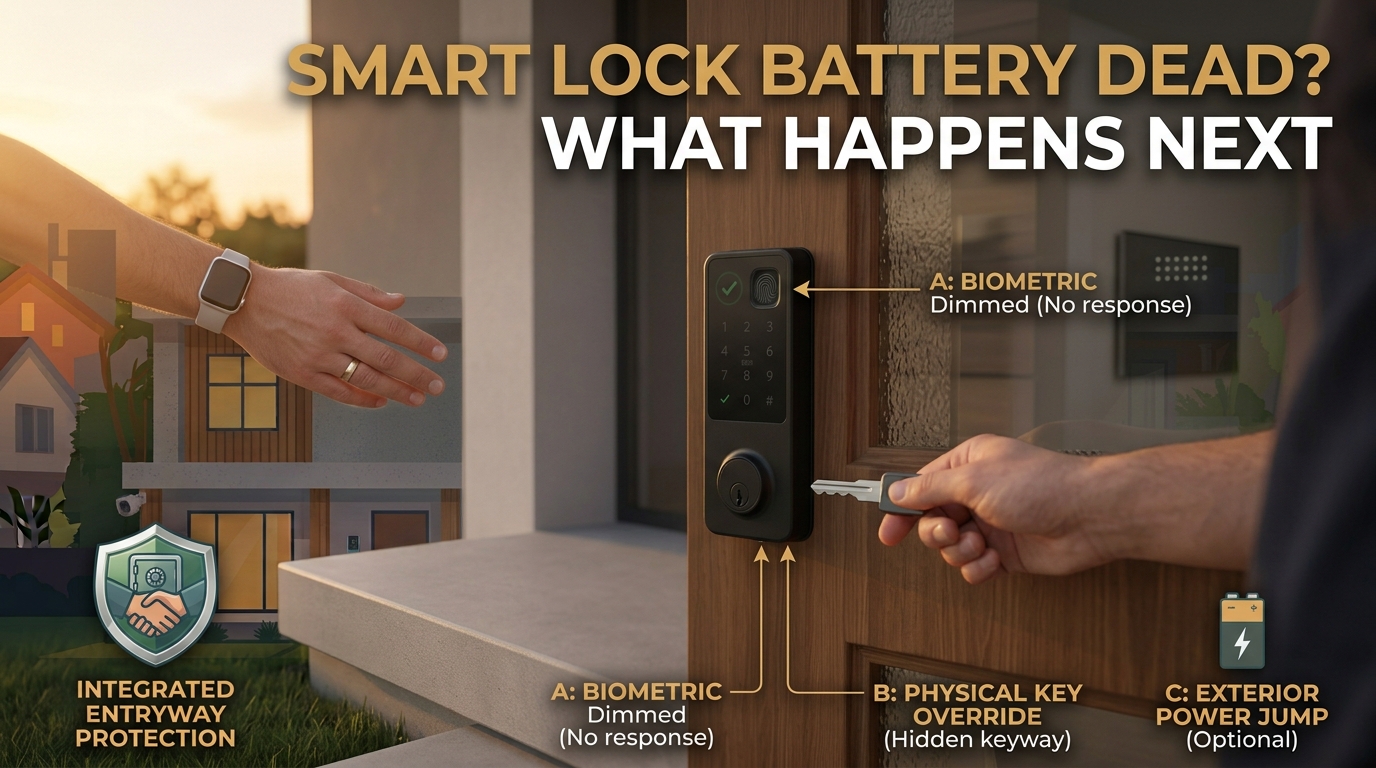
A smart lock with a dead battery does not unlock itself or become a security risk. It simply stops responding to the keypad, app, or touchscreen. Most smart locks warn well before the battery fully dies, giving time to replace it. If it does die without warning, common backup options include an external power terminal that accepts a standard battery for a temporary jolt of power, and on many models a hidden keyhole for a backup key.
Once power is restored, the fix is almost always just a battery swap, not a repair.
Does a dead battery fail locked or unlocked
The design pattern used across the category is “fail secure,” meaning a smart lock with no power stays locked rather than swinging open. A dead battery does not create an opportunity for anyone to walk in; it simply stops the lock from responding to any digital input, keypad code, app command, or touchscreen tap, the same way any battery-powered electronic device stops working when its power runs out.
That said, this is a documented pattern across the category, not a universal guarantee for every model on the market. Before relying on it, it is worth confirming your specific lock’s failure behavior in its own manufacturer documentation rather than assuming every smart lock behaves identically. The comparison worth having in the back of your mind here is the one this site covers between a smart lock and a traditional deadbolt: the physical security question and the power question are related but separate, and a dead battery does not change which one you are trading off.
The warning signs most smart locks give first
Reaching a fully dead battery without any warning is the exception, not the norm, for a mainstream smart lock. Most models are built to flag a low battery well before it actually runs out, through some combination of an audible chirp or tone when the keypad is used, an on-screen or LED low-battery indicator, and a push notification through the connected app if the lock is online at the time.
The exact interval, how many days or how many uses of advance warning a given lock provides, varies by model and is not something this general guide states as a fixed number, since it depends on the specific lock’s own design and has not been independently verified here. The practical takeaway is simpler than a number: once any low-battery signal appears, treat it as the actual deadline, not a suggestion, and replace the battery at the first opportunity rather than waiting to see how long the warning period actually lasts.
Backup power and backup key options, explained generically
Two backup mechanisms show up across most of the mainstream smart lock market, described here as design patterns rather than any single manufacturer’s feature. The first is an external power terminal, usually a pair of contacts near the keypad, that accepts a standard 9-volt battery held briefly against the terminal to supply just enough temporary power to wake the lock and accept a code. The second is a hidden physical keyhole, often concealed behind a cover plate or logo on the lock’s faceplate, that accepts a mechanical backup key the same way a traditional deadbolt would.
Not every model on the market includes both mechanisms, and some include neither in the way described here. That is a genuinely decision-relevant fact worth checking before buying any smart lock, not after: confirm in the specific model’s own documentation whether it has an external power terminal, a backup keyhole, both, or a different backup method entirely, since vendor marketing pages tend to bury this detail inside broader feature lists rather than stating it plainly upfront. This is the same category of connected-hardware caution worth applying to a smart garage door opener, the other major network-connected entry point most homes have, where checking the specific model’s own documented behavior also matters more than assuming a default.
How this compares to losing Wi-Fi
This site already answers a parallel question in its guide to whether smart locks work without Wi-Fi: the same reassurance pattern applies there as it does here. A lock that loses its network connection does not become insecure, and it typically keeps working locally through its keypad or a physical key, with only remote app control affected. A dead battery is the same shape of problem applied to power instead of connectivity: the lock fails in a predictable, secure way, and a fallback access method exists for the moment power (or connectivity) comes back.
Reading both pieces together is more useful than treating them as two separate fears, since the underlying design logic behind a mainstream smart lock, secure failure plus a fallback, is consistent whether the thing that failed was the network or the battery.
Preventing it before it happens
The single most effective habit here costs nothing: respond to the first low-battery warning instead of waiting for a second or third one. Keeping a spare battery of the right type on hand, rather than needing to find one at the moment the lock is already warning you, removes the most common reason people end up putting the swap off. If the lock’s app supports battery-level notifications, turning them on adds a second layer of warning beyond whatever the lock itself displays at the door.
It is also worth confirming, before you are ever standing outside relying on it, that your backup key or backup power method actually works: test the hidden keyhole with its key, or the external power terminal with a fresh 9-volt battery, once during normal use rather than for the first time during an actual lockout. If you are also managing who else can get into the home, this site’s guide to guest codes and access logs covers the other major ownership question that comes with a smart lock, separate from the battery. And if you are planning a full setup from scratch, the guide to building a smart home security system with no monthly fee covers where a lock fits into that order.
FAQ
Will I be locked out if my smart lock’s battery dies? Not necessarily. Most smart locks warn well in advance and give time to replace the battery. If it does die without warning, common backup options like an external power terminal or a hidden keyhole exist on many models, though not every model includes both, so it is worth confirming your specific lock’s backup options before you need them.
Does a dead battery make a smart lock less secure? No. The documented design pattern across the category is that a dead battery causes the lock to fail locked, not unlocked, meaning it stops responding rather than opening. Confirm this behavior in your specific lock’s own documentation, since it is a category pattern, not a guarantee for every model.
How will I know my smart lock’s battery is getting low? Most models give some combination of an audible tone at the keypad, an on-screen or LED indicator, and an app notification if the lock is connected at the time. The exact advance warning period varies by model.
What if my smart lock does not have a backup keyhole or power terminal? Some models do not include one or both of these backup mechanisms. This is worth checking in the product’s own documentation before buying, since it is a real difference between models that vendor marketing does not always state plainly.
Is this the same as what happens when Wi-Fi goes out? It is the same underlying pattern, secure failure plus a fallback method, applied to a different cause. A dead battery affects the lock’s power; a lost Wi-Fi connection affects only remote app control, and most locks keep working locally through the keypad or a physical key either way.

I’m John Smith, the founder of Homegadgetguru.com. I use my IT background to extensively test home automation setups in my own house, giving you the hands-on, practical advice you need to build a smarter, more connected home.