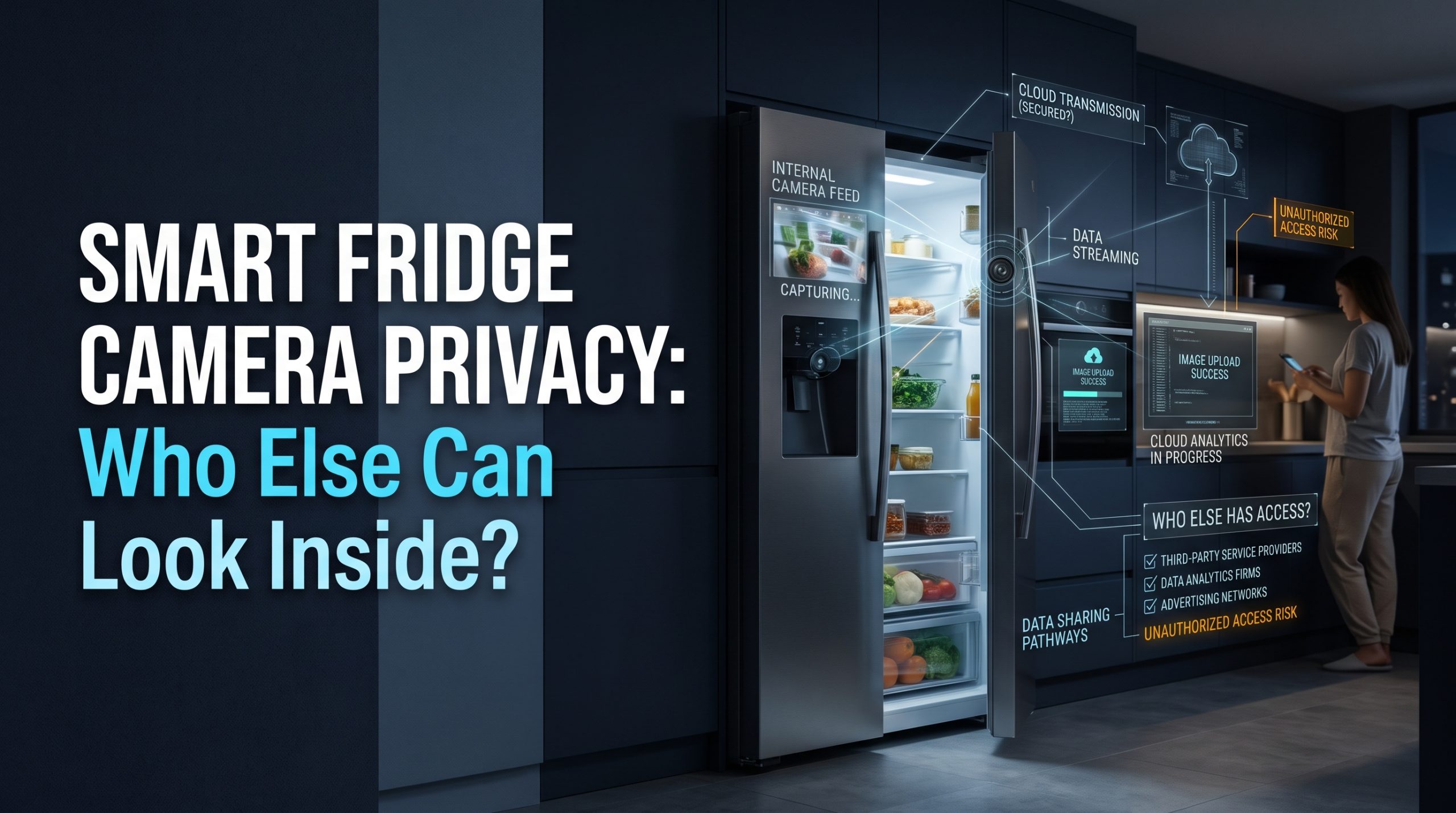
Short answer: Smart fridge camera privacy comes down to one question: who else can open the photos? Usually that list is longer than the household expects. It includes everyone signed in to the fridge's app, anyone you once shared access with, the manufacturer's cloud service that stores and often analyzes the images, any connected service such as a voice assistant or shopping list, and anyone who gets hold of your account password. The camera points at food, but the photos also reveal routines, health, and whether anyone is home. Keep the account locked down, prune shared access, and switch the camera off when you do not need it.
Most coverage of fridge cameras asks whether they are worth the money or whether a fridge can be hacked. Both matter. This guide asks a quieter question: on an ordinary day, with nothing hacked, who can see inside your fridge, and what can they learn?
What a fridge or kitchen camera actually captures
Kitchen cameras come in a few forms, and each sees something slightly different.
- Built-in fridge cameras sit inside the door or above the shelves and take a still photo, often each time the door closes, so you can check the shelves from the store.
- Crisper or drawer cameras focus on produce. GE Appliances' own announcement of its 2026 GE Profile refrigerator, for example, describes a camera "integrated into a flush-mount LED bar" that takes snapshots of the crisper drawers.
- Add-on fridge cameras are battery devices you stick or clip inside an ordinary fridge. Many take stills rather than streaming video.
- Oven cameras in some connected wall ovens and countertop ovens let you watch food cook from your phone.
- Smart displays on the counter often carry a camera and microphones for video calls.
A photo of your shelves sounds harmless. It is worth remembering that a camera aimed into a fridge does not choose what it sees. If a hand, a face, or a label is in frame when the shutter fires, that is in the photo too.
Who else can look inside your fridge?
This is the access audit nobody runs. Here is the realistic list, from the people you chose to the people you did not.
| Who | How they see the photos | What to check |
|---|---|---|
| You | The manufacturer's app | That you know which account owns the fridge |
| Everyone on the shared account | The same login, or a household invite | Who still has access, including people who moved out |
| Guests and helpers you invited once | Temporary or forgotten invites | Whether invites expire or must be removed by hand |
| The manufacturer | Images uploaded to its cloud for storage and features such as food recognition | What the privacy policy says about storage, analysis, and sharing |
| Linked services | Voice assistants, recipe apps, grocery or shopping list services | Which integrations are switched on, and what each one can access |
| A previous or next owner | An account that was never removed from the appliance | A full reset and account removal when the fridge changes hands |
| Someone with your password | Any device, anywhere | A unique password and two-step login |
Household members and ex-household members
Shared access is the easiest way for kitchen photos to reach someone you did not intend. A former roommate, an ex-partner, or an adult child who moved out may still be signed in years later. Unlike a front door camera, few people think to check who can see the fridge, because the fridge feels harmless.
The manufacturer and its cloud
Features like "what is running low" or food recognition generally depend on images being processed by the maker's service. That means your photos may be stored on its servers, possibly for longer than you look at them. The privacy policy is where you find out how long, for what purposes, and with whom the data is shared. Our guide to what smart home privacy policies say about the data they collect shows which sections to read first.
Integrations you switched on once
Linking a fridge to a voice assistant, a recipe service, or a grocery list can be genuinely handy. Each link is also another company with some access to your household data. If you no longer use a link, remove it in the app.
What fridge photos reveal beyond the food
A single shelf photo can say a surprising amount about a household:
- Who lives there. Baby formula, a pet's food, protein shakes, or a lot of one person's favorite items.
- Health information. Refrigerated medicines, insulin, special diets, or the absence of certain foods.
- Habits. Alcohol, takeout containers, or how often fresh food appears.
- Presence and absence. A fridge whose door has not opened in days, or one that is nearly empty, can suggest nobody is home.
That last point is not our invention. In a December 2022 UT Dallas Magazine piece, Dr. Murat Kantarcioglu said that "an empty fridge or one that has not been opened in a few days also could signal to a burglar that the residents are away," and that the type and amount of food could tell advertisers or a hacker "a lot about a household." It is the same reason door and motion data from security devices deserve care.
None of this means a fridge camera is dangerous. It means the photos deserve the same care as any other camera in the home, which is the principle behind our guide to indoor security camera privacy and household rules.
Smart fridge camera privacy settings worth changing
Most of the protection comes from a few settings and habits. None require tools or any work inside the appliance.
- Know which account owns the fridge. Use your own email and a unique password, not a shared family login nobody controls.
- Turn on two-step login if the app offers it. The Federal Trade Commission's consumer guide Securing Your Internet-Connected Devices at Home (read October 2, 2026) puts it plainly: "If a device offers two-factor authentication (a password plus something else, like a code sent to your phone or a thumbprint scan), use it." Our walkthrough on camera account security and two-factor login applies just as well to a fridge app.
- Review shared access every few months. Remove anyone who no longer lives with you.
- Switch the camera off when you do not need it. Some models offer an app setting, and some offer a physical shutter. GE Appliances' 2026 announcement, for example, says users can "turn off the camera in the app or slide a physical shutter."
- Turn off what you do not use. The same FTC guide advises: "If you won't use remote management, it's best to disable it."
- Prune integrations. Unlink voice, recipe, and shopping services you no longer use.
- Keep the firmware current. The FTC guide notes you may need to check for firmware updates "on the manufacturer's website."
- Reset before you sell, move, or give it away. Remove the fridge from your account and follow the maker's reset steps, so the next household starts fresh and cannot see your history.
If your home network itself is not locked down, every connected appliance inherits that weakness. Start with securing your Wi-Fi before adding smart home devices.
Hacking is real, but it is not the usual problem
Headlines about hacked fridges get attention, and connected devices do carry security risk. The FTC's guide also warns that older devices you no longer use can become "a weak point on your network." Still, for most households the everyday privacy exposure is quieter: too many people with access, a cloud service that keeps more than you realized, and integrations you forgot. Fixing those takes a few minutes in an app and does more good than worrying about a dramatic break-in.
The disclosure question: would you even know there is a camera?
Some smart appliances carry cameras or microphones that are not obvious from the outside. That gap is the reason for the Informing Consumers about Smart Devices Act. According to the office of its House sponsor, Representative Russ Fulcher, the House passed the bill on April 29, 2025 (read October 2, 2026). The release says it would require makers of internet-connected appliances to disclose cameras or microphones that are not obviously visible, and it names refrigerators, washers, dryers, and dishwashers. A bill that passes one chamber is not yet law, so check its current status before relying on it.
Until disclosure is required, do it yourself before buying:
- Read the full specification sheet, not just the feature banner.
- Search the manual for "camera" and "microphone."
- Check whether the camera can be switched off, and whether there is a physical shutter.
- Read how long images are stored and whether they are used to train or improve services.
- Look for any published software support period, since a camera that stops getting security updates is a weaker device.
The honest trade-off
Fridge cameras do solve a real, small problem: knowing whether you need eggs while you are standing in the store. For some households that convenience is worth a little extra care. For others, a phone photo of the shelves before leaving home does the same job with no account, no cloud, and nothing to audit.
We are independent and do not rank fridge brands or cameras. Models in every tier can be set up well or badly. The privacy outcome depends less on the badge on the door and more on who you let in through the app.
FAQ
Can anyone see inside my fridge through the camera?
Anyone with access to the account that owns the fridge can usually view the photos. That includes shared household members, people you invited and never removed, and anyone who learns your password. The manufacturer may also store and process the images. Check shared access in the app regularly.
Do smart fridge cameras record video?
Many built-in and add-on fridge cameras take still photos rather than continuous video, often when the door closes. Some oven and countertop cameras stream live video. Check the specification sheet and manual for your model, since behavior varies.
Can I turn off a smart fridge camera?
On many models, yes. Some let you switch the camera off in the app, and some include a physical shutter. If your model has neither, read the manual and privacy settings to see whether image upload can be disabled.
What should I do before selling a smart fridge?
Remove the fridge from your account, unlink any integrations, and follow the manufacturer's reset instructions. That keeps the next owner from seeing your history and stops your account from seeing theirs.
Is a fridge camera a security risk for my home?
Any connected camera adds some risk, mainly through weak passwords, old firmware, and too many people with access. A unique password, two-step login, regular updates, and a secure home network reduce that risk considerably, though no setting removes it entirely.

I’m John Smith, the founder of Homegadgetguru.com. I use my IT background to extensively test home automation setups in my own house, giving you the hands-on, practical advice you need to build a smarter, more connected home.