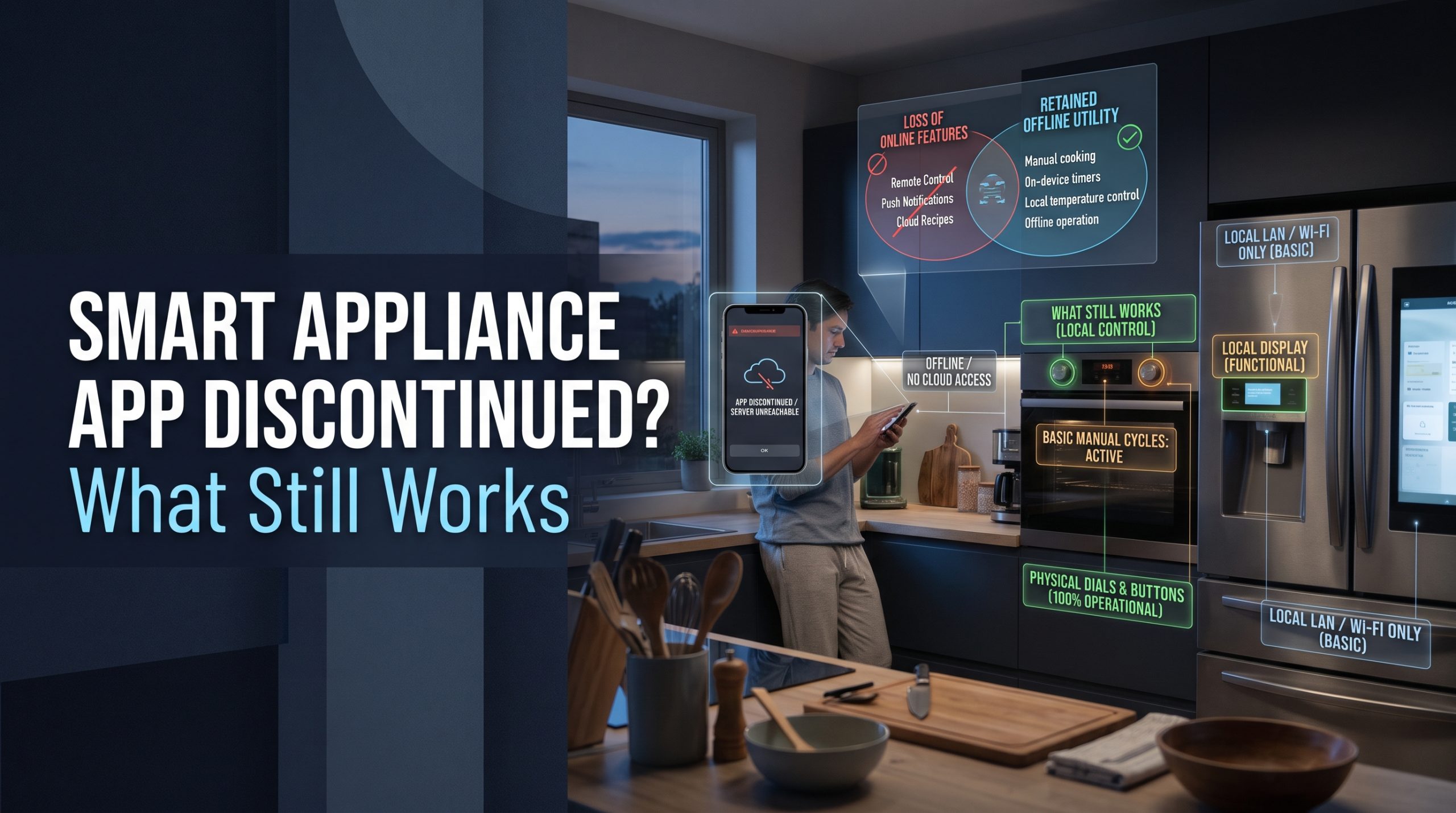
Short answer: When a smart appliance app is discontinued, the appliance usually keeps doing its main job from its own control panel, but the connected extras stop: remote control, alerts, schedules set in the app, voice assistant links, and often security updates. How much you lose depends on how much of the appliance was designed to depend on the app. A fridge that cools and an oven that bakes from their own buttons lose convenience. A gadget with few or no physical controls can lose most of its usefulness. Check this before you buy, not after.
The question underneath is the one many buyers never ask out loud: am I buying a device, or a subscription to a company's servers? This guide explains what typically happens, what to do if it happens to you, and how to choose kitchen gadgets that age well.
Why apps end while appliances keep running
Many connected kitchen features do not run directly between your phone and the appliance. They pass through the maker's servers. Your phone talks to the cloud, and the cloud talks to the appliance. That design makes remote control possible from anywhere, and it also means the feature lasts only as long as the maker keeps that service running and keeps the app working on new phone software.
A kitchen appliance is a long-lived purchase. Apps and cloud services change on a much shorter cycle: companies redesign apps, merge brands, drop older models, or move to new platforms. The motor and heating element may outlast the software by years.
Smart appliance app discontinued: what actually changes
"The app shut down" can mean several different things. They are worth separating, because each one leaves you with a different appliance.
| What happened | What usually still works | What you usually lose | What to do |
|---|---|---|---|
| The maker moved to a new app | Everything, once you re-pair | Saved schedules, voice links, and settings until you set them up again | Install the new app and re-pair |
| Your model was dropped from the app | The appliance's own controls | Remote control, alerts, app-only programs | Check the maker's support page for options |
| Security updates ended | The app, for now | Protection against newly found flaws | Consider taking it off your network |
| The cloud service shut down | The appliance's own controls, if it has them | All remote and app features | Reset, disconnect, and use it as a regular appliance |
| The company left the market | Depends entirely on the design | Support, parts guidance, updates | Keep the manual and use local controls |
The new-app migration
This is the gentlest version. Owners are asked to move to a new app, often with a new account or a new sign-in step. One maker's support page for its connected room air conditioners, for example, told owners that its earlier app "has been deactivated" and that they "will need to onboard" their appliances to a newer app, then set up schedules and voice assistant commands again. Nothing about the appliance changed, but anything configured in the old app had to be rebuilt.
Dropped models and ended updates
Sometimes the app continues, but older models stop appearing in it, or stop getting firmware updates. The appliance still works, and the app may still connect for a while. The quiet risk is security: a device that no longer receives fixes stays on your home network with whatever weaknesses it had on the day updates stopped.
Full shutdown
When the cloud service ends, app-dependent features stop entirely. The outcome then depends on design. An appliance with full physical controls becomes an ordinary appliance. A gadget built around the app, with one button and a phone doing the rest, may lose most of its function.
Why this is hard to check before buying
You would expect a support period to be printed on the box. Usually it is not. In a study published on November 26, 2024, Federal Trade Commission staff reviewed 184 connected products and found that "nearly 89% of products surveyed failed to disclose on their websites how long the products would receive software updates" (read October 2, 2026). The same release warns that when updates stop, devices may "lose their 'smart' functionality, become insecure or stop working."
The products in that study were not only kitchen appliances, but the lesson carries over: the support period is something you usually have to go looking for.
What to check before you buy
The FTC's consumer alert, How long will your smart device get software updates? It's hard to know (read October 2, 2026), suggests you "search the product website or look on the manufacturer's website" for how long the software will be updated, and "if you can't find it, contact the manufacturer by phone, email, or chat." For a kitchen appliance, add these questions:
- Does every essential function work from the appliance itself? Cooking modes, temperatures, timers, and cleaning cycles should all be reachable from the control panel.
- Which features are app-only? If the feature you are paying for exists only in the app, you are paying for something with an end date.
- Is a published software support period available, and does it run from purchase or from the model's release?
- Are any features tied to a paid plan? Some recipe libraries, guided cooking programs, or automatic reordering services may be extras. A free app today can add charges later. Our guide to smart home hidden costs and the fees nobody mentions covers the same pattern in home security.
- Does it offer any local control? Some devices can be controlled on your home network without the maker's cloud. Check the specification sheet rather than assuming.
- What does the privacy policy say happens to your data if the service ends or the company is sold? Our explainer on what smart home privacy policies collect shows where to look.
We are independent and do not rank appliance brands on support. Policies change, and a maker's past record is no guarantee of its future one. The safest bet is a design that does not need the app to do its main job.
If your appliance's app is shutting down
If you receive a notice, or your app simply stops working, work through these steps in order.
- Read the maker's notice or support page. Look for a replacement app, a migration deadline, or a list of affected models.
- Write down what you set up in the app. Schedules, favorite programs, and voice assistant routines may need to be rebuilt.
- Migrate if there is a path. Re-pair the appliance in the new app and set up two-step login on the new account.
- Learn the control panel. Find the manual, often available on the maker's website by model number, and make sure you can run every function you need without the app.
- If updates have ended, consider disconnecting. The FTC's guide to securing internet-connected devices at home advises that you "disconnect older devices you no longer use from the network," because "their security may be out of date." If you no longer use the connected features, removing the appliance from Wi-Fi removes that weak point. Our guide to securing your Wi-Fi before adding smart home devices covers the network side.
- Unlink integrations and remove the device from your account, so nothing stale stays connected to your voice assistant or home app.
What not to do
Do not open the appliance or try to install unofficial firmware to restore features. Kitchen appliances contain mains electrical parts and heating elements, and their safety controls depend on the maker's design. Altering them can defeat protections you cannot see. If the appliance itself develops a fault, that is a job for the maker's service team or a qualified appliance technician.
Is a connected kitchen appliance still worth it?
Often, yes, as long as you treat the connection as a bonus rather than the product. Remote alerts, a finished-cycle notification, or a temperature warning can be genuinely useful for years. The problem appears when the app is the only way to use the appliance, or when the feature you bought it for exists only in the cloud.
A simple test: imagine the app vanishes the day after delivery. If you would still be happy with the appliance, buy it. If you would feel you had bought an expensive paperweight, keep looking.
For a wider look at which connected kitchen features are worth having, see our overview of smart kitchen gadgets that change the way you cook.
FAQ
Will my smart fridge or oven stop working if the app is discontinued?
Usually not. Most connected fridges and ovens keep running from their own controls. What stops are the app features: remote control, alerts, app schedules, and voice links. Gadgets with few physical controls can lose more.
How do I find out how long my appliance will get software updates?
Check the product page and the manufacturer's support pages. The FTC suggests contacting the manufacturer by phone, email, or chat if you cannot find the information. Write down the answer and the date you received it.
Is it safe to keep using a smart appliance after updates stop?
The appliance itself is usually fine to use from its controls. The concern is network security, since flaws found after updates end will not be fixed. If you no longer need the connected features, consider removing it from Wi-Fi.
Can I reconnect my appliance to a different app?
Sometimes. Makers occasionally offer a replacement app, and some devices support local control standards. Check the specification sheet and the maker's support page. Do not install unofficial firmware on a kitchen appliance.
Should I avoid smart kitchen appliances because apps can be discontinued?
Not necessarily. Choose models that work fully from their own control panel, treat the app as an extra, and look for a published support period. Then a discontinued app costs you convenience, not the appliance.

I’m John Smith, the founder of Homegadgetguru.com. I use my IT background to extensively test home automation setups in my own house, giving you the hands-on, practical advice you need to build a smarter, more connected home.