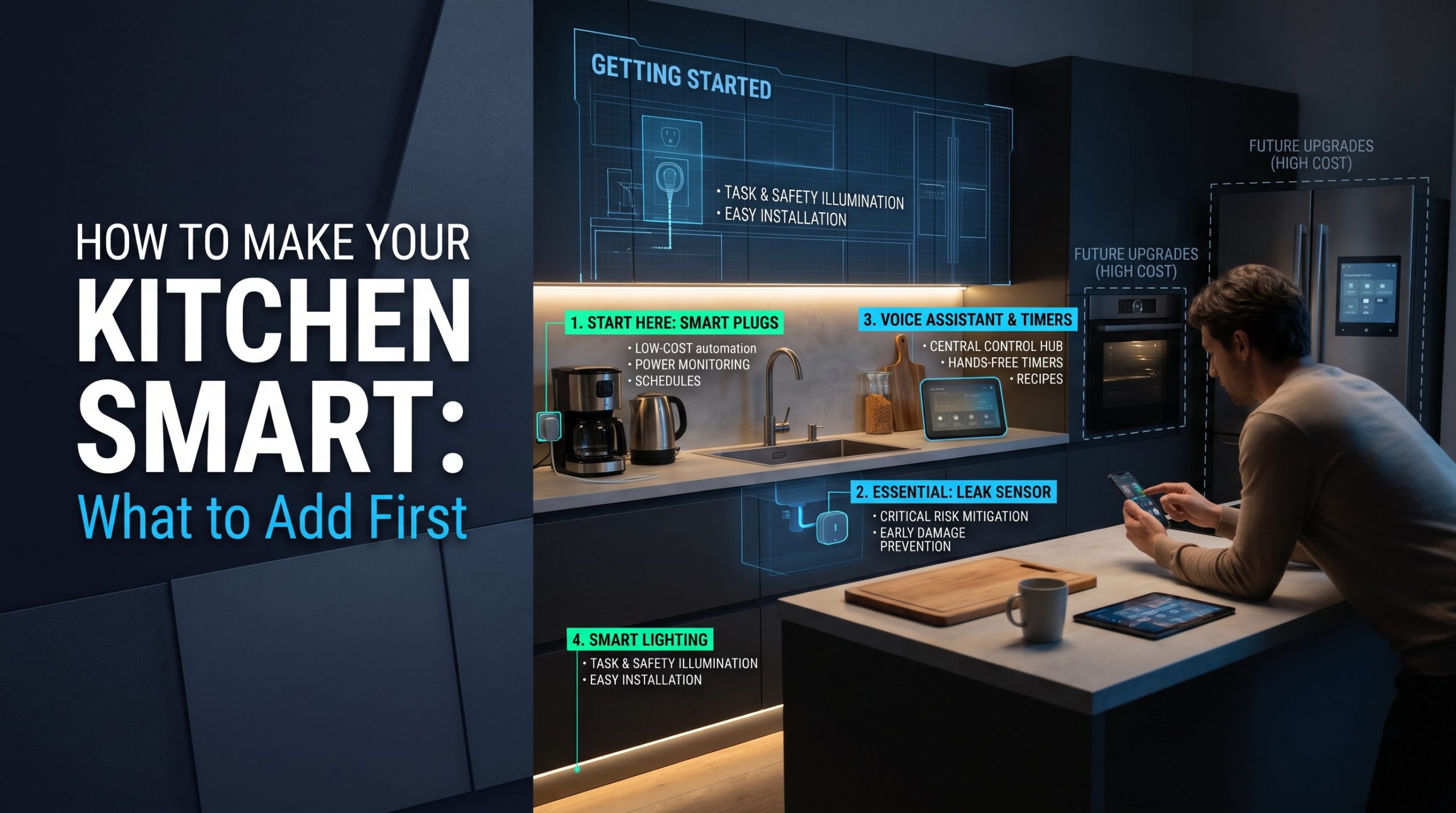
Short answer: The way to make your kitchen smart without redoing the room is to build it in stages, starting with whatever is cheapest to undo. First, check that your Wi-Fi reaches the kitchen and secure the accounts you will use. Second, add protection: a battery leak sensor under the sink and working smoke alarms nearby. Third, use the speaker or phone you already own for timers and lists, and add smart light to existing fixtures. Fourth, add measuring tools such as a thermometer probe. Only after that, and only when an old appliance needs replacing, consider connected versions of the big appliances.
That order is not about spending less, although it usually does. It is about adding one thing at a time, finding out whether you actually use it, and never giving a heating appliance more automation than it was designed for.
Why "smart kitchen" guides usually start in the wrong place
Most guides to building a smart kitchen are written by kitchen remodelers and cabinet makers, and they understandably start with the big items: a connected fridge, a smart oven, built-in charging drawers, a touchless faucet. Those can be good choices during a remodel. For a kitchen you are keeping, starting there means spending the most money on the parts that are hardest to change and quickest to date.
A large appliance can outlive its app. In a study published on November 26, 2024, Federal Trade Commission staff reviewed 184 connected products and found that "nearly 89% of products surveyed failed to disclose on their websites how long the products would receive software updates" (read October 2, 2026). The products reviewed were not only kitchen appliances, but the implication carries over: if you buy a fridge for its app, you may not know how long the app will last.
The staged approach flips the order. Small, reversible, inexpensive additions come first. Big appliances come last, on their natural replacement cycle.
How to make your kitchen smart: the stages at a glance
| Stage | What to add | What it needs | Why it comes here |
|---|---|---|---|
| 0. Groundwork | Wi-Fi check, account security, one app or assistant | Nothing new | Everything later depends on it |
| 1. Protect | Under-sink leak sensor, working smoke alarms | Batteries, no wiring | Highest value for the lowest cost |
| 2. Helpers and light | Voice timers, smart bulbs, battery motion lights | Devices you may already own | Daily use, easy to remove |
| 3. Measure | Thermometer probe, connected scale | A phone | Helps cooking without changing appliances |
| 4. Light automation | Smart plug on non-heating items only | A wall outlet | Fine only for the right devices |
| 5. Appliances | Connected oven, fridge, dishwasher | A replacement moment | Most expensive and hardest to undo |
| 6. Remodel items | Hardwired lights, new outlets, plumbed fixtures | A licensed trade | Permanent changes to the room |
A simple rule holds the stages together: do not move on until the last addition has earned its place. If a device has sat unused for a few weeks, the next stage can wait.
Stage 0: groundwork before you buy anything
This stage costs nothing, and skipping it is an easy way to end up with smart kitchen devices unplugged in a drawer.
- Check the Wi-Fi in the kitchen itself. Stand where the devices will sit and check the signal on your phone. A kitchen can sit far from the router, and appliances and cabinets can get in the way.
- Pick one app or voice assistant to build around. If you already use one at home, start there. Mixing several makes routines harder to set up and harder to trust.
- Secure the accounts. Every connected device comes with an online account. A unique password and two-step login matter as much for a kitchen gadget as for a camera. Our guide to securing your Wi-Fi before adding smart home devices covers the network side.
- Write down the annoyances. Overcooked meat, a forgotten timer, a dark corner of the counter, a leak you once found too late. Each stage should solve something on that list.
Stage 1: protect the kitchen first
The kitchen is where water and heat live, so the first devices should watch for both.
A leak sensor under the sink. A battery leak sensor sits on the cabinet floor and alerts your phone when it detects water. It needs no wiring and no tools. Our guide on where to place water leak sensors covers the spots that flood first, including the sink cabinet, and explains how far a handful of sensors can stretch.
Working smoke alarms near, not over, the kitchen. The U.S. Fire Administration's cooking fire safety guidance (read October 2, 2026) states that "cooking is, by far, the leading cause of home fires and home fire injuries," and advises keeping smoke alarms at least 10 feet from the stove to reduce false alarms. If you are thinking of upgrading, our comparison of smart smoke detectors and regular alarms weighs what app alerts add. Anything hardwired is a job for a licensed electrician.
Neither device changes how you cook. Both can matter more than everything that follows.
Stage 2: helpers you already own, and better light
Timers and lists. A smart speaker or phone you already own can set several named timers at once, keep a shopping list and read out conversions. It costs nothing new, and it tells you quickly whether you like talking to your kitchen at all. If you do not, that is useful to learn before buying a smart display.
Light in existing fixtures. A smart bulb in a fixture you already have, or a battery motion light under a cabinet, improves the most-used work surfaces without any wiring. Motion lights are especially handy for a late-night glass of water. Our guide to creating a smart lighting setup at home covers the basics of bulbs, switches and scenes.
Everything in this stage can be removed in minutes, which is why it comes before anything you plug in permanently.
Stage 3: measuring tools that help you cook
The connected kitchen tools that most clearly change a result are the ones that measure something you would otherwise guess.
- A wireless thermometer probe tells you the inside temperature of meat without opening the oven or grill, and alerts your phone when it is ready.
- A connected kitchen scale can help with baking by weight or tracking portions, if you already like to weigh ingredients.
Both work alongside the appliances you already have. If you find yourself using the probe every week, that is a better signal for a connected oven later than any advert.
Stage 4: smart plugs, but only for the right things
Smart plugs are the item many smart kitchen guides recommend early. We put them later, with a firm boundary, because the kitchen is where they are easiest to misuse.
A smart plug is fine for a lamp, a radio, a plug-in under-cabinet light or a phone charger. It is not the right tool for an appliance that heats: kettles, toasters, coffee makers, air fryers, slow cookers, space heaters or anything with a hot plate. Those were designed on the assumption that a person starts them, and a plug that restores power on a schedule, by accident in an app or after a power cut can start one with nobody there.
The U.S. Fire Administration's appliance and electrical fire safety page (read October 2, 2026) also advises: "Unplug small appliances when you are not using them," and "do not overload power strips." If you want scheduled coffee or hot water, choose an appliance with scheduling built in by its maker.
Stage 5: connected appliances, on the replacement cycle
Large connected appliances belong at the end because they are the most expensive, the slowest to replace and the most dependent on a maker's app and servers. The sensible moment to consider one is when an existing appliance genuinely needs replacing.
When that moment comes, three questions do most of the work:
- Does every essential function work from the appliance's own controls? If the app disappeared tomorrow, would you still be happy with it?
- Which features are app-only, and would you use them? A finished-cycle alert or a temperature warning can be genuinely useful. A recipe library you never open is not.
- Is there a published software support period? If you cannot find one, ask the maker before you buy.
We are independent and do not rank appliance brands. Connected models exist across budget, mid-range and premium tiers, and the connection alone does not make an appliance cook or clean better. Before connecting a fridge or oven to your network, it is worth reading what smart home privacy policies actually collect.
Remote start deserves its own caution. Starting an oven or cooktop when nobody is in the kitchen runs against the U.S. Fire Administration's plain advice on cooking: "Stand by your pan. If you leave the kitchen, turn the burner off." Treat remote features as a way to check and stop, more than a way to start.
Stage 6: remodel items need a licensed trade
Some popular smart kitchen ideas are not gadgets at all. They are changes to the building:
- Hardwired under-cabinet lighting or new light fixtures.
- Extra outlets, including outlets inside cabinets or under the sink for instant-hot taps or charging drawers.
- Touchless or voice-controlled faucets that connect to the water supply and, on some models, need power under the sink.
These are where a staged plan stops being do-it-yourself. New wiring, new outlets and any change to the electrical circuit are work for a licensed electrician. Connections to the water supply beyond what a product's installation manual describes, or that local code covers, are work for a licensed plumber. The sensible time for this stage is during a planned remodel, when walls and cabinets are already open.
What a finished smart kitchen usually looks like
For most homes, the end result is less dramatic than the remodel photos suggest. A leak sensor under the sink, alarms that work, a speaker running timers, good light on the counter, a thermometer probe in a drawer, and perhaps one connected appliance that replaced an old one. Each piece earned its place before the next one arrived.
For a wider look at which connected gadgets are genuinely useful once the basics are in place, see our overview of smart kitchen gadgets that change the way you cook.
FAQ
What is the first thing to add to make a kitchen smart?
Start with groundwork that costs nothing: check the Wi-Fi in the kitchen and secure your accounts. The first device worth buying is usually a battery leak sensor under the sink, because it needs no wiring and watches for one of the kitchen's most expensive problems.
Can I make my kitchen smart without buying new appliances?
Yes. A leak sensor, smart bulbs, battery motion lights, a thermometer probe and the speaker or phone you already own cover most of the day-to-day benefit. Connected appliances can wait until an old one needs replacing.
Should I put my kitchen appliances on smart plugs?
Only appliances that do not heat, such as a lamp or radio. Kettles, toasters, coffee makers, air fryers and other heating appliances should not be switched on by a smart plug. Choose models with scheduling built in by their maker instead.
Do I need a smart display in the kitchen?
Not to start. A smart speaker or your phone can handle timers and lists. A display is worth considering only if you find yourself wanting recipes on screen often, and after you have checked its privacy settings.
Do smart kitchen upgrades need an electrician?
Plug-in and battery devices do not. New outlets, hardwired lighting and any change to the electrical circuit do, and should be done by a licensed electrician. Plumbed fixtures may need a licensed plumber.

I’m John Smith, the founder of Homegadgetguru.com. I use my IT background to extensively test home automation setups in my own house, giving you the hands-on, practical advice you need to build a smarter, more connected home.