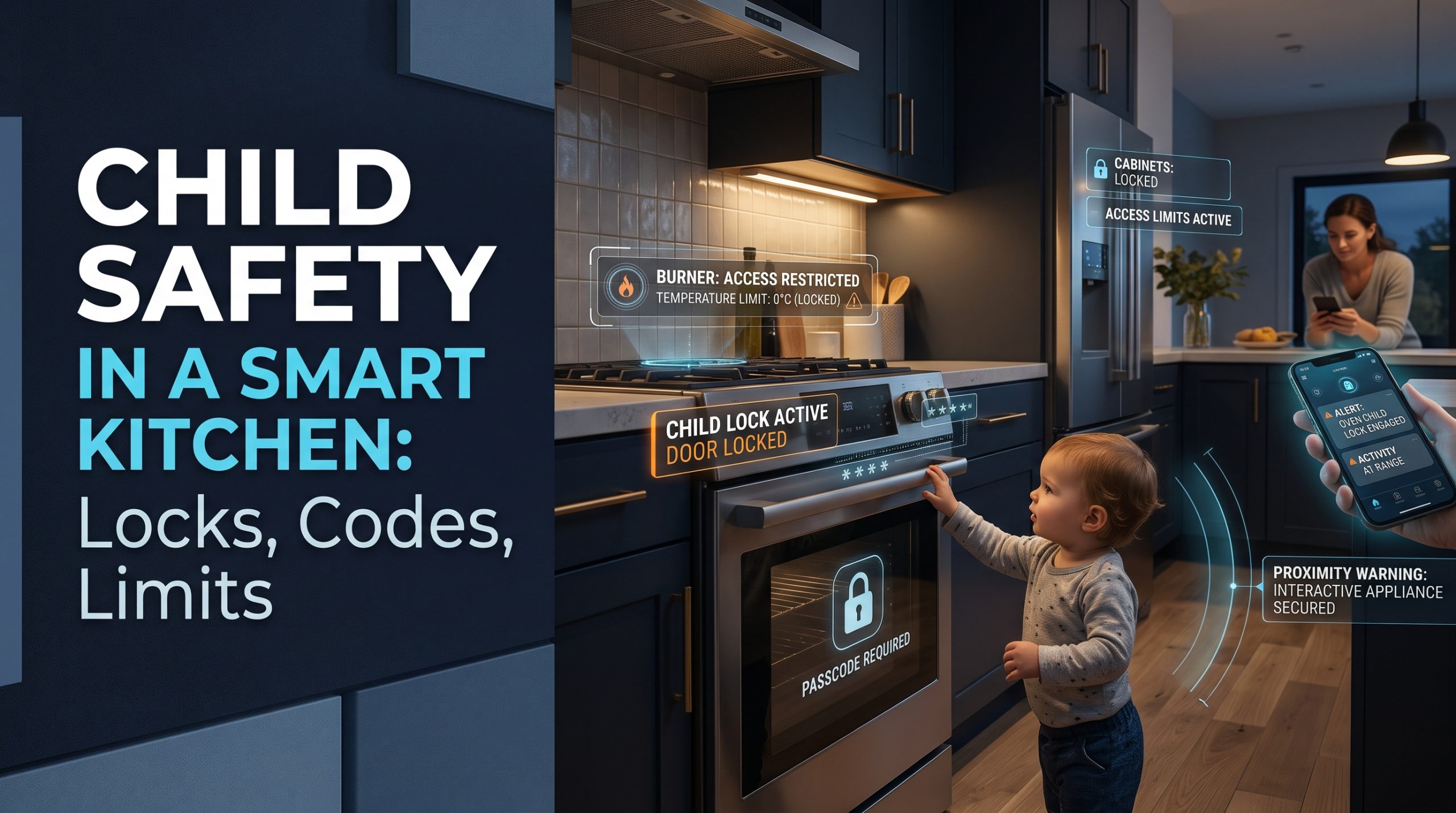
Short answer: Child safety in a smart kitchen starts with the same basics as any kitchen, then adds a few new doors to close. A connected appliance can often be started from its touch panel, an app on a shared phone or tablet, a voice assistant, a schedule, or a smart plug. Turn on the control lock on every appliance that has one, keep appliance apps off devices children use, never link heating appliances to voice commands or smart plugs, and check that any remote start needs someone at the appliance first. Smart features add layers. They never replace supervision.
This guide is general information for parents and carers, not individual safety advice. Your appliance manuals are the authority on how each lock and remote feature works.
Why a connected kitchen changes the childproofing question
Traditional childproofing is physical: knob covers, cupboard latches, cords out of reach, and a watchful adult. All of that still applies. The American Academy of Pediatrics' parent site, HealthyChildren.org, warns in its Microwave Safety guidance (read October 2, 2026) that "toddlers as young as 17 months can start a microwave, open the door and remove the contents," and that "even if a microwave is placed up high, a child may climb on furniture or other objects to reach it." The same page notes that "most of the kids who end up in burn units were not burned in fires; they were burned by food or something involving the preparation and consumption of food."
A connected kitchen keeps every one of those risks and adds a new question: besides the buttons, what else can start this appliance? The answer is often an app, a voice, a timer, or an automation, and children are fast learners with all four.
The new ways in, and how to close each one
| Way in | How a child might use it | What to set |
|---|---|---|
| Touch controls on the appliance | Tapping a panel that lights up when touched | The appliance's control lock or child lock |
| An app on a shared phone or tablet | Exploring icons on a family device | Keep appliance apps off children's devices; lock the phone |
| A voice assistant | Copying a phrase they heard an adult use | Do not link heating appliances to voice control |
| A smart plug | Asking the speaker to "turn on" a plug, or tapping it in an app | Never put a heating appliance on a smart plug |
| A schedule or automation | Not a child action, but it can start a device while a child is nearby | Avoid unattended starts; know what is scheduled |
| Remote start | An adult starting a cycle from elsewhere without knowing who is in the kitchen | Use only features that need someone at the appliance first |
Control locks: the first setting to find
Most modern cooktops, ovens, microwaves and dishwashers have a control lock, sometimes labeled child lock, which disables the panel until it is unlocked with a specific button press or hold. It is the simplest and most effective setting in the whole kitchen, and many families never switch it on because it was not explained at delivery.
Some connected appliances add app control of the lock. Samsung's product page for one of its connected induction cooktops, for example, says the SmartThings app can "remotely turn the cooktop's Child Safety Lock on and off," and that location-based automation "can automatically lock or unlock the cooktop whenever you leave or return to your home." That is useful, with one honest limit: an automation that unlocks when an adult arrives home does not know whether that adult is in the kitchen or the garden. Treat automatic unlocking with care when small children are around.
Look up the lock in your own manual. The method varies by model, and a lock you cannot quickly turn off when you need to cook is a lock you will eventually stop using.
Phones and tablets: where most app risk lives
Children often use a parent's phone or a family tablet. If the appliance app is installed and signed in, anything that app can do is a few taps away. The app may not be able to start a heating element remotely (many appliances require a button press at the machine first), but it may be able to change settings, start a dishwasher or washing cycle, or unlock a control lock.
Sensible limits:
- Keep appliance apps off any device a child uses.
- Use a screen lock on adult phones that carry appliance apps.
- Use separate accounts or household invites, so you can remove access without changing everyone's password.
- Turn on two-step login for the appliance account. Our guide to account security and two-factor login explains the setup, and the same steps apply to a kitchen app.
Voice assistants: keep heat out of voice control
Children learn phrases quickly, and voice assistants answer whoever speaks. A voice command that turns on a light is harmless. A voice command that powers anything that heats is not. Our position is simple: do not link ovens, cooktops, kettles, toasters or coffee makers to voice control in a home with young children. If your assistant offers settings that restrict which devices respond to voice, use them, and check the assistant's own help pages for what your model supports.
Smart plugs and heating appliances
A smart plug turns power on and off. It cannot tell whether a kettle is empty, whether a toaster lever is down, or whether something has been left on top of an appliance. Putting a heating appliance on a smart plug creates a way for it to start that its maker never designed for, and in a home with children that risk is not worth the convenience. Keep smart plugs for lamps, fans and similar low-risk devices.
Codes and access: who can control what
Smart kitchens increasingly behave like smart locks: there are accounts, invites, and sometimes logs. The habits that keep a front door safe keep a kitchen safe too.
- Know who has access. Review household members in each appliance app, and remove anyone who no longer needs it.
- Use the activity history if your app keeps one. It can show when and how an appliance was started.
- Do not share the main account password with older children. If they cook, invite them with whatever limited access the app allows, or let them use the appliance's own controls.
Our explainer on smart lock guest codes and access logs covers the same idea for doors: give each person the access they need, and nothing more.
Remote start and schedules: who is in the kitchen when it begins?
Remote and scheduled starts are designed for an empty kitchen, which is exactly what a home with children often is not. A child may be on a step stool at the counter when a scheduled cycle begins.
Before you use any remote or scheduled feature:
- Check whether it needs someone at the appliance first. Many connected ovens and dishwashers require a button press on the appliance to arm remote start. Read your manual to confirm how yours works.
- Do not remove that step, even if a setting allows a permanent remote mode.
- Avoid scheduling heat when you are not home and a child might be, for example with a babysitter or an older sibling in charge.
- Tell carers what is scheduled. A sitter should know if the dishwasher or oven may start on its own.
What smart features cannot replace
No setting in an app replaces the basics. HealthyChildren.org's Kitchen Safety tips for families with young children (read October 2, 2026) includes advice to remove stove knobs when not cooking, if they come off easily, "so that your child can't turn the stove on," to "never leave the oven door open," and not to "allow electrical cords to dangle where your child can reach and tug on them, possibly pulling a heavy appliance down on themselves." The same page asks adults carrying hot liquids, such as coffee, soup or a pot of boiling water, to know where their child is.
Smart features sit on top of those habits. A control lock helps when you look away for a moment. An app alert helps when you forget the oven is on. Neither replaces an adult in the room while food is cooking.
If a child is burned, HealthyChildren.org publishes first-aid guidance for families, and your pediatrician or emergency services are the right people to call. This article cannot advise on any injury.
A note on installation and wiring
Everything in this guide is a setting, a habit or a plug-in choice. If your childproofing plans involve moving a cooktop, adding outlets at a different height, or changing how an appliance is wired or connected to gas, that is work for a licensed electrician, plumber or qualified appliance installer, not a do-it-yourself job.
A sensible checklist
- Switch on the control lock on every appliance that has one.
- Keep appliance apps off children's devices and lock adult phones.
- Use separate household invites and two-step login.
- Never link heating appliances to voice control or smart plugs.
- Use only remote starts that need someone at the appliance first.
- Tell carers what is scheduled.
- Keep the physical basics: knobs, cords, oven door, supervision.
We are independent and do not rank appliances for child safety. Locks and remote features differ by model, so the manual for your appliance is the final word. For a wider look at what is genuinely useful in a connected kitchen, see our overview of smart kitchen gadgets that change the way you cook.
FAQ
Can a child turn on a smart oven with an app?
It depends on the model and on whether the app is on a device the child can use. Many connected ovens require a button press at the appliance before remote start works, but settings and locks may still be changeable in the app. Keep appliance apps off children's devices and check your manual.
Do smart appliances have child locks?
Many cooktops, ovens, microwaves and dishwashers have a control lock, connected or not. Some connected models also let you switch the lock on or off from an app. Check your manual for how to set it.
Is it safe to connect a kettle or toaster to a smart plug if I have kids?
We advise against it. A smart plug cannot tell whether a heating appliance is empty, blocked or unattended, and it adds new ways for the appliance to start, including voice and app commands a child could trigger.
Should I use voice control for kitchen appliances in a home with toddlers?
Keep voice control to low-risk devices such as lights. Children copy phrases quickly, and a voice assistant responds to whoever speaks, so heating appliances are better left out of voice control.
What is the most important smart kitchen setting for child safety?
The appliance's own control lock. It works without Wi-Fi, without an app, and without anyone remembering to schedule it, which makes it the most dependable layer after supervision.

I’m John Smith, the founder of Homegadgetguru.com. I use my IT background to extensively test home automation setups in my own house, giving you the hands-on, practical advice you need to build a smarter, more connected home.